
Background Player
Native Media Player as background media player only
iOS Background Mode ConfigurationEnable the Native Media Player plugin in App Studio before rebuilding your app. If you build from downloaded iOS source or manually manage Apple signing assets, confirm the
Audio, AirPlay, and Picture in Picturebackground mode capability is enabled in Xcode, as shown below:
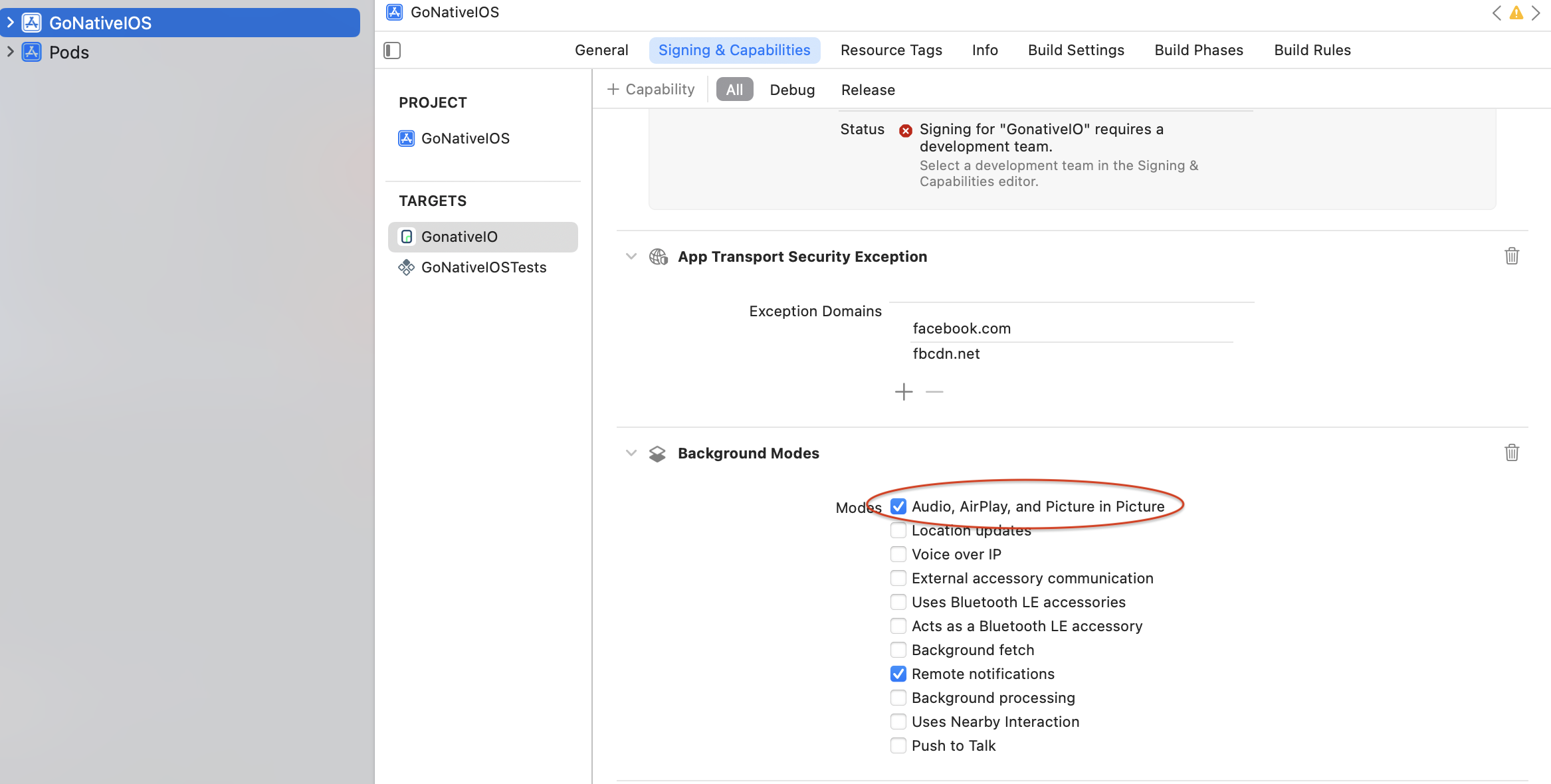
iOS Background Mode
Implementation Guide
Developer DemoDisplay our demo page in your app to test during development https://median.dev/native-media-player-switch/
You will need to define the following two JavaScript functions on your website:
getPlayerStatus() - Gets the current status of the web player to pass to the native media player. (Called when the app is paused/backgrounded).
updatePlayerStatus(mediaPlayerStatus) - Passes the native media player status to the web player when the app is resumed. (Called when the app is resumed/foregrounded).
Example Code
var webPlayer = document.getElementById('web_player');

function getPlayerStatus() {
    var status = {
        'currentTime': webPlayer.currentTime,
        'isPaused': webPlayer.paused,
        'album': 'Kennedy',
        'artist': 'JFK',
        'title': 'JFK Speech',
        'artwork': 'https://path_to_thumbnail.jpeg',
        'url': webPlayer.currentSrc
    };
    return status;
}

function updatePlayerStatus(mediaPlayerStatus) {
    // if currentTime not provided, play/pause only
    if(mediaPlayerStatus.currentTime){
        webPlayer.currentTime = mediaPlayerStatus.currentTime / 1000;
    }
    // play/pause based on whether the mediaplayer was playing/paused before resuming the app
    if (mediaPlayerStatus.isPaused && !webPlayer.paused) {
        webPlayer.pause();
        alert("Pausing the web player at " + mediaPlayerStatus.currentTime / 1000);
    }
    else if (!mediaPlayerStatus.isPaused && webPlayer.paused) {
        videoElement.play();
        alert("Playing the web player at " + mediaPlayerStatus.currentTime / 1000);
    }
}
Updated about 2 months ago