
Haptics
Trigger haptic vibration effects like impact and notification feedback on iOS and Android devices
The Haptics Native Plugin enables you to trigger haptic vibration effects used to provide feedback to end users based on various events and actions within your app. Support is provided for six different haptic effects that have been specifically designed to be comparable across iOS and Android devices.
The plugin also provides support for the "shake" gesture such that a JavaScript callback is invoked when the user shakes their device.
Developer DemoDisplay our demo page in your app to test during development https://median.dev/haptics/
Why use Haptics
- Cross-platform consistency: Six haptic styles have been specifically designed to be comparable across iOS and Android devices, so your feedback patterns work uniformly regardless of platform.
- Rich haptic vocabulary: Choose from impact and notification styles to match the intensity and meaning of each interaction in your app.
- Android-exclusive styles: Three additional Android-only styles (
tick,click,double_click) give you extra expressiveness on Android devices. - Shake gesture support: Respond to physical device shake events with a JavaScript callback, enabling shake-to-action patterns without additional native code.
Prerequisites
- A Median.co app with JavaScript Bridge enabled
- The Haptics plugin enabled under Native Plugins in your App Dashboard
- A physical iOS or Android device for testing (haptics do not deliver meaningful feedback in a virtual simulator environment)
Implementation Guide
App Setup
- Navigate to Native Plugins: In the App Studio, go to Native Plugins.
- Enable Haptics: Toggle the Haptics plugin to enabled status. The plugin can also be trialed.
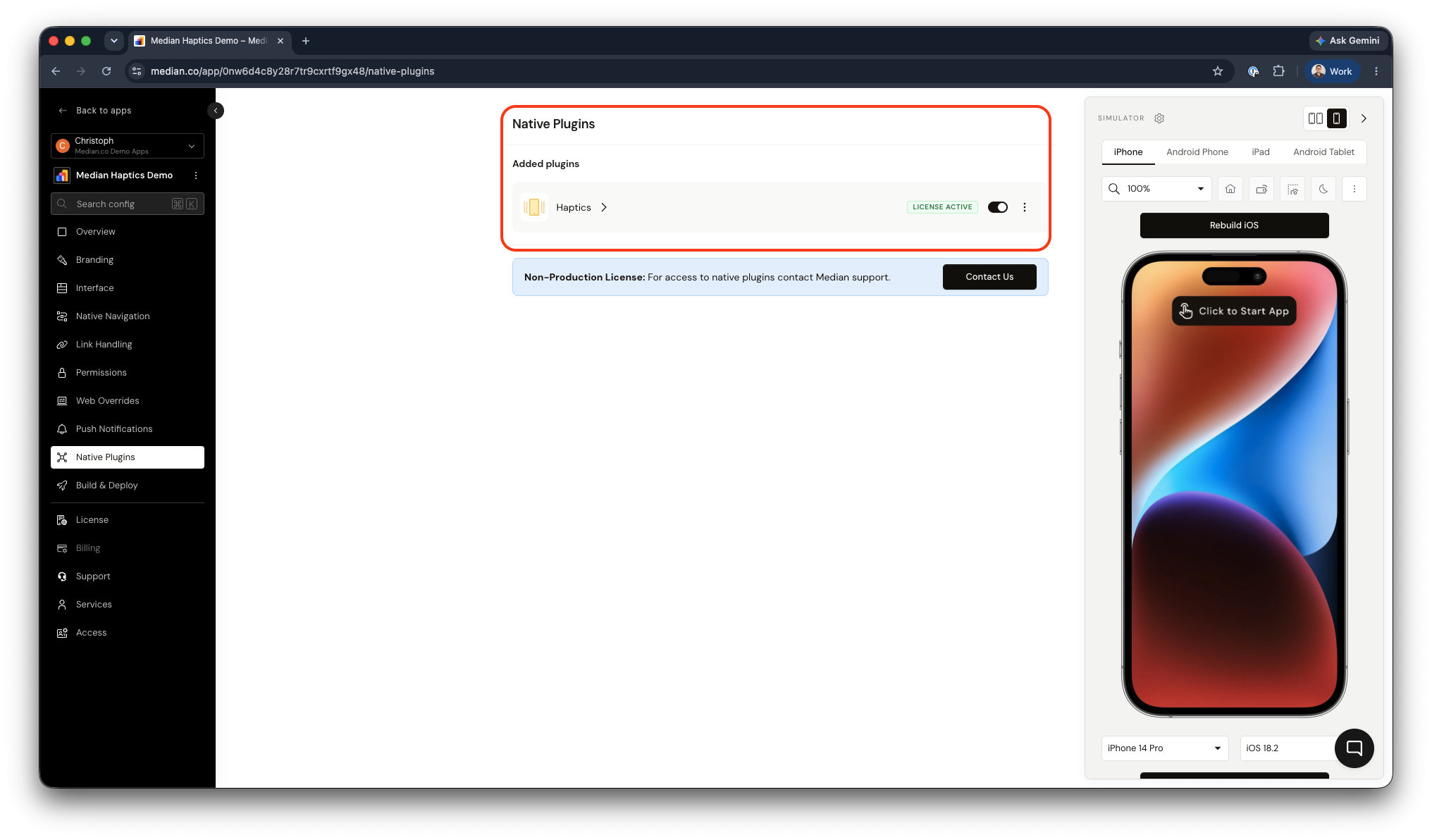
Haptics Plugin Enablement
JavaScript Bridge Implementation
Trigger Haptic Vibration Event
Triggers a haptic vibration effect on the user's device. Pass a style string to specify which effect to fire.
median.haptics.trigger({ style: styleName });style is a string parameter that can be any of the following options:
iOS and Android
impactLightimpactMediumimpactHeavynotificationSuccessnotificationWarningnotificationError
Android Only
tickclickdouble_click
Respond to Shake Gesture
Add median_device_shake() JavaScript function to all pages that should provide a response to the shake gesture. This function can also be inserted using the Custom JavaScript feature.
For example:
function median_device_shake(){
 document.querySelector('.sideNavigation').style.visibility = "visible";
};
Testing Checklist
Use this checklist to ensure Haptics is working correctly in your app:
- Each
stylevalue triggers a distinct haptic effect on a physical device -
median_device_shakeis invoked when the device is shaken - Haptic feedback intensity matches the action's visual and semantic weight
- Plugin does not interfere with app navigation or core web flows
- All haptic behavior is verified on a physical device, not a simulator
Frequently Asked Questions
No haptic feedback in the simulator?
No haptic feedback in the simulator?
This is expected behavior. Haptics will not deliver meaningful feedback in a virtual simulator environment. Test on a physical iOS or Android device to verify haptic behavior.
Android-only styles not firing?
Android-only styles not firing?
The tick, click, and double_click styles are supported on Android only. If you are testing on an iOS device, these styles will have no effect. Verify you are testing on a physical Android device.
Shake gesture callback not responding?
Shake gesture callback not responding?
Confirm that the median_device_shake() function is defined on the current page. You can add it globally using the Custom JavaScript feature. Ensure the function name matches exactly: median_device_shake.
Updated about 1 month ago