
Install iOS IPA
Install iOS IPAs for Device Testing
This direct-install workflow is useful for development profile builds and quick early testing. For App Store release testing, use a distribution profile with Upload to App Store Connect set to Automatic, then test the processed build through TestFlight.
Device must be registeredThis guide assumes your device is enrolled as an iOS tester, as covered in Registering Testing Devices, and that signing is complete per Configure Signing for Your App. Installation will fail on a device that hasn't been registered.
Step-by-Step
Step 1: Enable Developer Mode
On the test device, go to Settings → Privacy & Security → Developer Mode and turn it on. The device will restart and prompt you to confirm.
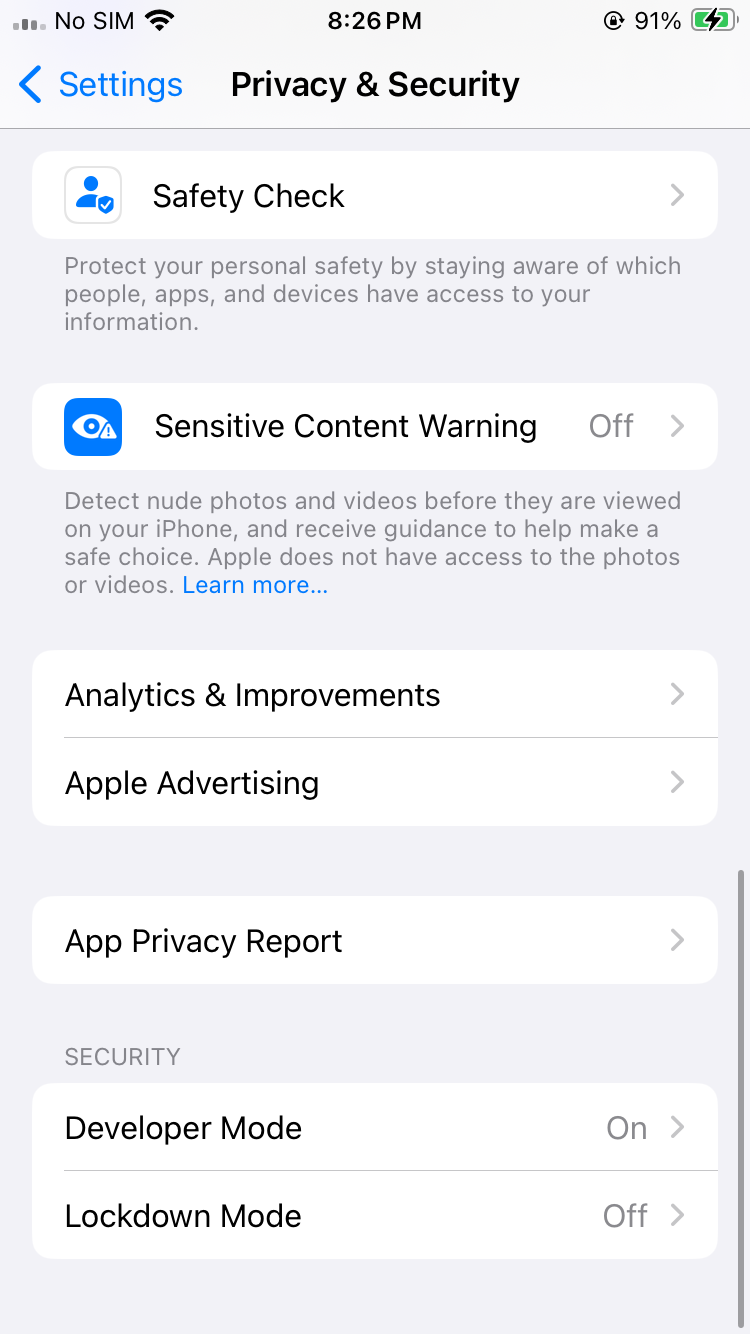
iOS Privacy & Security Settings
iOS blocks installation of apps signed outside the App Store unless Developer Mode is explicitly enabled. This is an Apple-level requirement, not a Median-specific setting.
Step 2: Get the install link or QR code
If you are a member of the development team, open the app in App Studio, go to Build & Deploy, then click Install on iPhone/iPad for the iOS IPA build. If the app is built with a deployment profile the 'Install on iPhone/iPad' will be disabled.
If you are not a member of the development team you will need to be provided with the public sharing link for the app where you can click Install IPA on device. In either case you will open a modal with a QR code.
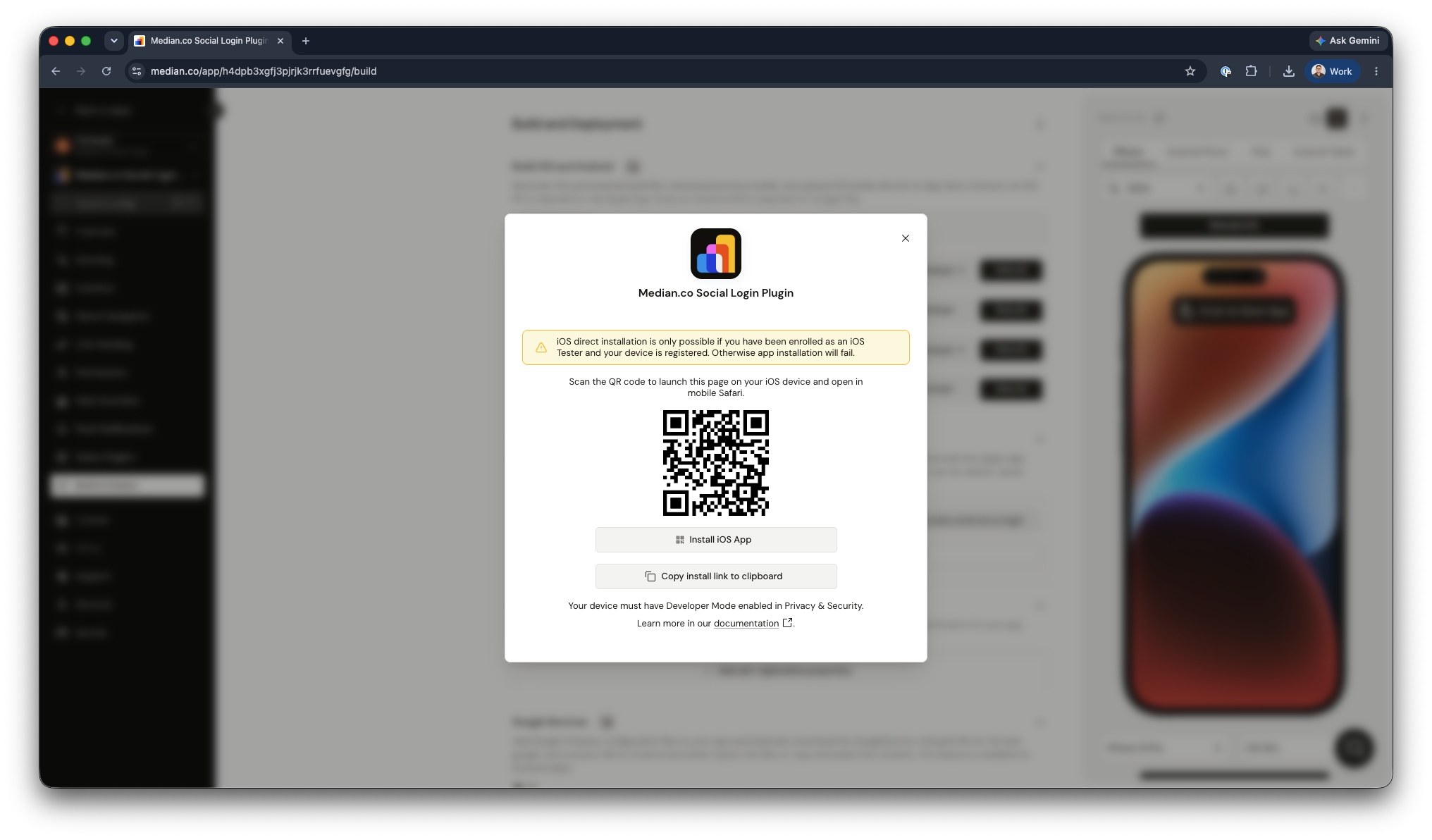
Installation QR Code
Step 3: Scan the QR code
Scan the QR code using your iOS device to open the installation page in your browser (must be mobile Safari).
Step 4: Install the app
Once the installation page is displayed, click the Install iOS App button and confirm. The app will be installed on your device.
Frequently Asked Questions
Why do I need to enable Developer Mode before installing?
Why do I need to enable Developer Mode before installing?
iOS blocks installation of apps signed outside the App Store unless Developer Mode is explicitly enabled in Privacy & Security settings — this applies to any ad-hoc install, not just Median's.
The QR code won't scan or the install page won't load — what's wrong?
The QR code won't scan or the install page won't load — what's wrong?
iOS blocks installation of apps signed outside the App Store unless Developer Mode is explicitly enabled in Privacy & Security settings — this applies to any ad-hoc install, not just Median's.
Updated 4 months ago