
Cookie Persistence
Consistent sessions from web to mobile app
Median-powered apps automatically honor the cookie expiration settings defined by your web platform, ensuring consistent session behavior across both browser and native mobile environments. This guide explains how cookie persistence works, how to configure custom expiration policies, and what platform-level limitations apply on Android and iOS.
What Are Cookies Used For?
Cookies serve three primary functions in mobile web apps:
- Session Management - Maintaining authenticated user sessions and login states across app launches.
- User Preferences & Personalization - Persisting settings such as language selection, UI theme, or layout configuration.
- Tracking & Analytics - Capturing behavioral data for usage insights and performance monitoring.
How Cookie Persistence Works in Median
By default, Median apps respect the Expires and Max-Age attributes set by your server when issuing cookies. No additional configuration is required if your server already defines appropriate cookie lifetimes.
Security recommendationFor critical session data or long-term authentication tokens, use secure storage via the FaceID / TouchID and Android Biometric Plugin) rather than relying solely on cookies. Cookies are inherently subject to platform-level eviction policies.
Configuring Custom Cookie Expiration
If your server-defined cookie lifetimes do not meet your app's requirements — or if you lack access to modify server-side configurations — you can override cookie expiration behavior directly in Median App Studio.
To configure a custom cookie expiration policy:
- Open Median App Studio.
- Navigate to Web Overrides > Cookie Persistence.
- Switch the setting from
DefaulttoCustom Cookie Expiry. - Define your desired cookie lifetime duration.
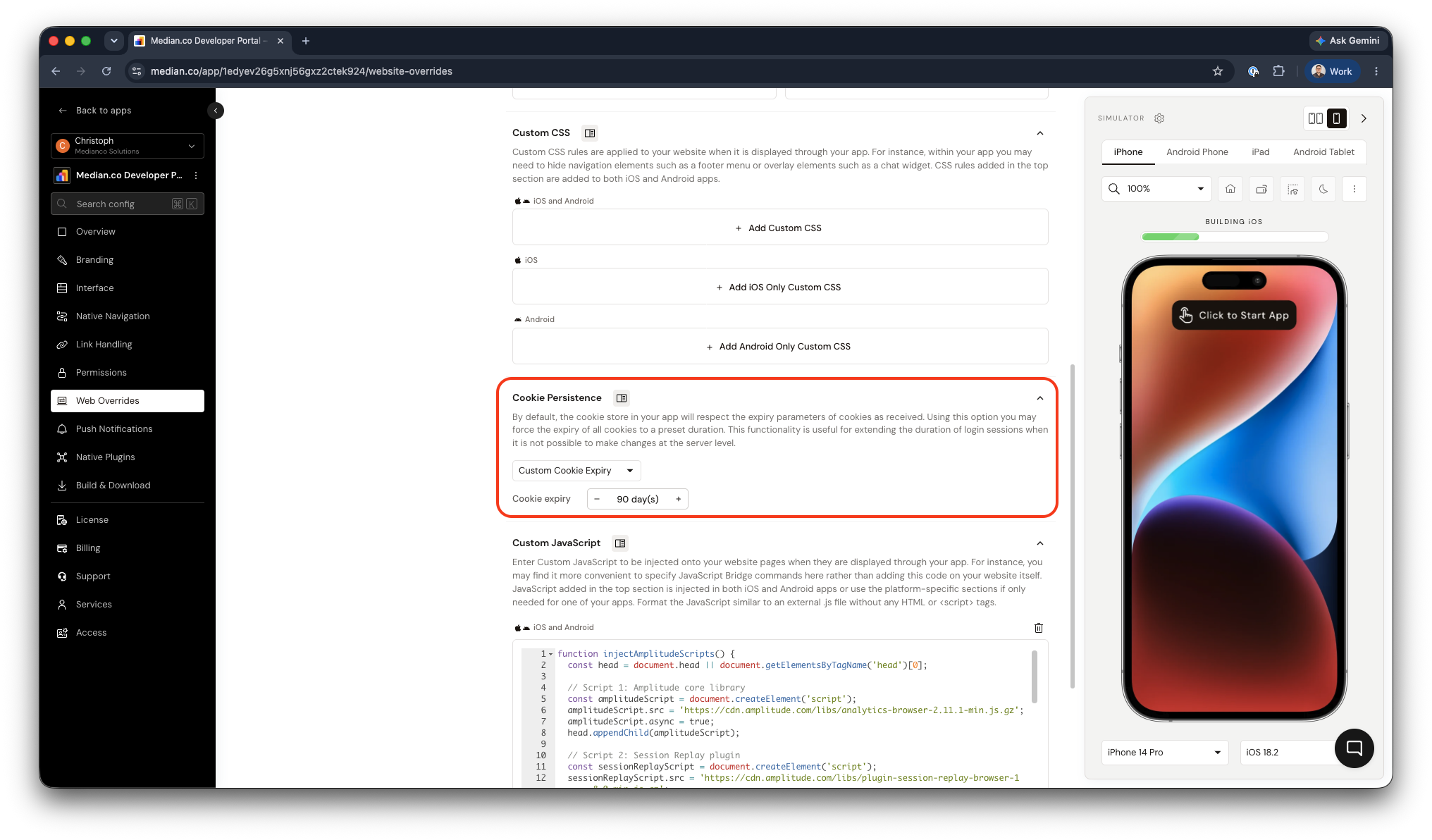
App Configuration - Cookie Persistence
This override is useful in scenarios such as:
- Extending session duration beyond server-defined limits (for example, keeping users signed in for 30 or 90 days).
- Standardizing cookie behavior across environments without modifying backend configuration.
Platform Limitations
Cookie persistence is subject to the constraints of each platform's native WebView component. The following limits apply on Android and iOS.
Android WebView
| Attribute | Behavior |
|---|---|
| Maximum cookie lifetime | No enforced upper limit |
| Persistence basis | Expires or Max-Age cookie attributes |
Known real-world limitations:
- Cookies may be lost if the app is uninstalled or if Android clears app storage.
- While technically possible, cookies set for 10+ years may not reliably persist through OS updates or device resets.
iOS WKWebView
| Attribute | Behavior |
|---|---|
| Maximum cookie lifetime | No hard cap, but restricted in practice |
| Persistence basis | Cookies without explicit persistence may be cleared when the app closes |
Real-World Limitation:
- Apple's Intelligent Tracking Prevention (ITP) may automatically purge cookies after 7 days if there has been no recent user interaction with the associated domain.
- Cookies relying solely on Max-Age or Expires without active user engagement are especially vulnerable to ITP eviction.
Frequently Asked Questions
Are cookies shared between my Median app and the device's native mobile browser?
Are cookies shared between my Median app and the device's native mobile browser?
No. The cookie storage used by your Median app's WebView is completely isolated from the device's native browser (such as Safari on iOS or Chrome on Android). A user who signs in through your Median app will not be automatically signed in when they open the same website in their mobile browser, and vice versa. Each environment maintains its own independent cookie jar. This is a platform-level constraint that applies to all WebView-based apps, not specific to Median.
Why are my users being logged out on iOS even with a long cookie expiration set?
Why are my users being logged out on iOS even with a long cookie expiration set?
This is most likely caused by Apple's Intelligent Tracking Prevention (ITP), which is built into iOS's WKWebView. ITP can automatically purge cookies associated with a domain after 7 days of inactivity, regardless of the cookie's Expires or Max-Age value.
To reduce the impact of ITP, encourage regular user engagement with your app, or consider storing authentication tokens in secure storage using the FaceID / TouchID and Android Biometric Plugin as a more reliable alternative to cookies for long-term session persistence.
Does clearing the app cache also delete cookies?
Does clearing the app cache also delete cookies?
It depends on the platform and how the cache clear is triggered.
On Android, using the Clear WebView Cache feature clears cached resources but does not necessarily remove cookies as these are stored separately in the WebView's cookie store. However, uninstalling the app or clearing app data via Android's system settings will delete all cookies.
On iOS, cookies managed by WKWebView are stored in shared process storage; clearing website data will remove them. If your app programmatically clears cookies, all stored session data will be lost regardless of the expiration policy set in App Studio.
Can I set different cookie expiration policies for different domains?
Can I set different cookie expiration policies for different domains?
No. The Cookie Persistence setting in Median App Studio applies a single expiration policy globally across all cookies used within the app's WebView. Domain-level granularity is not supported through this interface.
If you need per-domain control, that logic would need to be implemented server-side before Median applies its override.
Updated 4 months ago