
Native Contacts
Access and manage user contacts from their mobile devices
The Native Contacts plugin lets users sync their device contacts with your app, enabling form completion and data enrichment based on lookup fields such as email or phone number. You can retrieve all contacts in bulk or prompt the user to select specific contacts through a native UI without building any contact infrastructure yourself.
Common use cases include CRM data entry, field service lookups, social connection suggestions, and eCommerce address autofill.
Developer DemoDisplay our demo page in your app to test during development https://median.dev/native-contacts/
Why Use Native Contacts
- CRM integration: Sync device contacts directly into your app's workflow, eliminating manual data entry for sales and support teams.
- Field service and operations: Look up and act on contact data in real time for scheduling, dispatch, and on-site workflows.
- Social and eCommerce features: Enable social networking platforms and eCommerce shipping solutions to access contact data natively for connection recommendations or address autofill.
Implementation Guide
App Configuration
- Navigate to Native Plugins: In Median App Studio, go to the Native Plugins section.
- Enable Native Contacts: Toggle the plugin to enabled status.
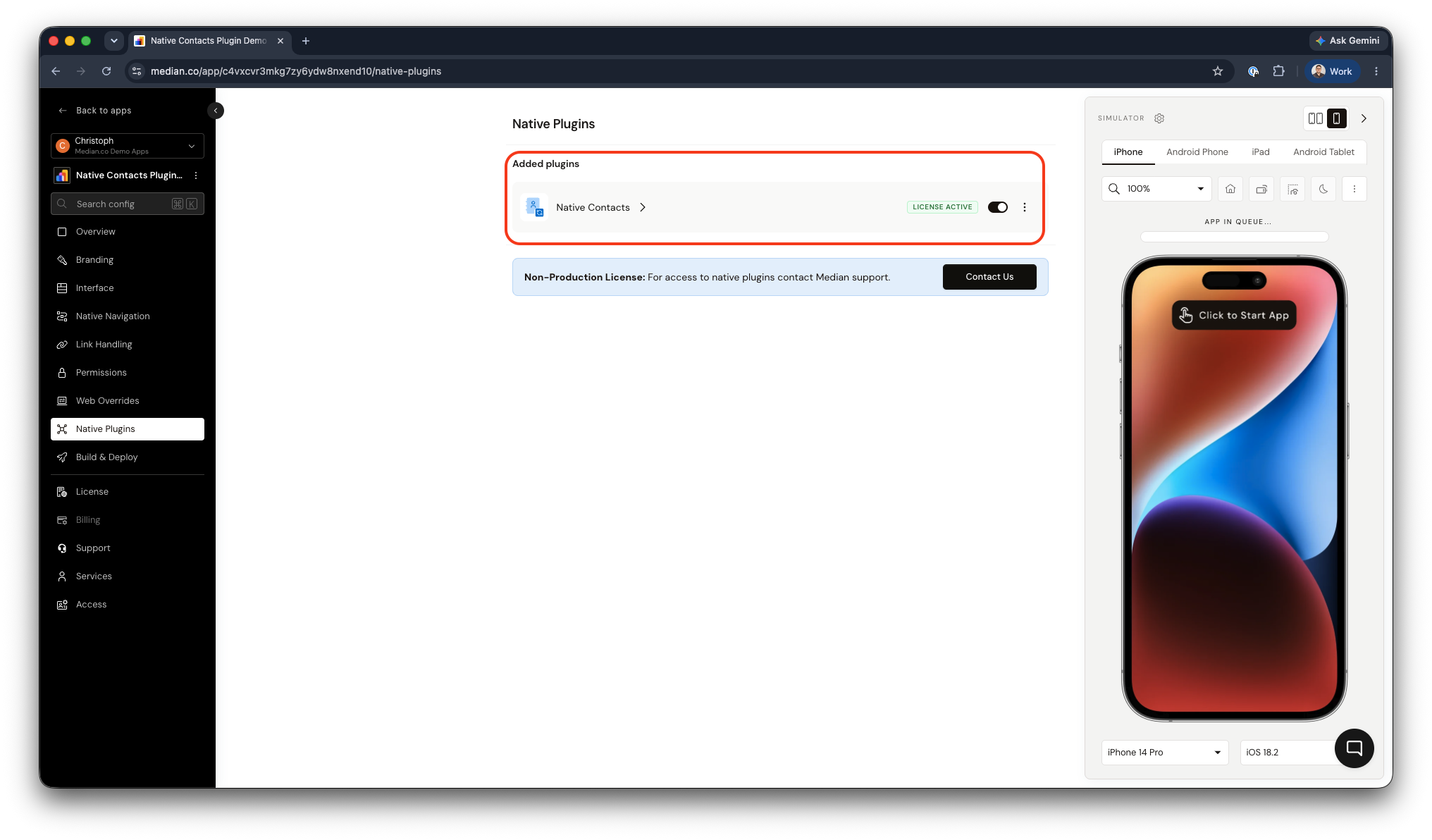
Native Contacts Plugin Enablement
JavaScript Bridge Implementation
All contact functionality is accessed through the Median JavaScript Bridge. Each method accepts either a callback function or returns a Promise. See Using Promises with the JavaScript Bridge for async/await patterns.
Check Contact Permission Status
Before accessing contacts, check whether the user has already granted permission. The app will automatically prompt for permission on first access, but this method lets you check current status without triggering a prompt.
// Callback style
median.contacts.getPermissionStatus({ callback: myCallback });

// Promise style
const result = await median.contacts.getPermissionStatus({});

// Return value
{
  "status": "STRING"
}
Permission Status Values
Given the differences between both iOS and Android you can expect slightly different permission values based on the operating system.
iOS
| Status | Description |
|---|---|
granted | User has granted access |
denied | User has explicitly denied access |
restricted | Access is administratively prohibited (e.g. parental controls or mobile device management policy) |
notDetermined | User has not yet been prompted |
Android
| Status | Description |
|---|---|
granted | User has granted access |
denied | User has not yet been asked, or has explicitly denied access |
Retrieve All Contacts
Fetch the complete contacts list stored on the device.
// Callback style
median.contacts.getAll({ callback: myCallback });

// Promise style
const result = await median.contacts.getAll({});Note: On iOS the note field is not returned by getAll() by default. Accessing it requires the com.apple.developer.contacts.notes entitlement, which requires approval by Apple.
Present a Native Contact Picker
Display the device's native contact selection UI, allowing the user to choose one or multiple contacts. This is the recommended approach when you need explicit user selection rather than bulk access.
// Callback style
median.contacts.pickContact({
  callback: myCallback,
  multiple: BOOL  // true = allow multi-select; false = single contact only
});

// Promise style
const result = await median.contacts.pickContact({ multiple: false });Note: The note field is available when using pickContact() on iOS, without any additional entitlement.
Response Format
When permission is granted, all contact methods return an object in the following shape:
{
  success: true,
  contacts: [...]
}
contacts is an array of contact objects. Available fields depend on the platform.
Contact Fields
iOS
| Field | Type |
|---|---|
birthday | String |
namePrefix | String |
givenName | String |
middleName | String |
familyName | String |
previousFamilyName | String |
nameSuffix | String |
nickname | String |
phoneticGivenName | String |
phoneticMiddleName | String |
phoneticFamilyName | String |
organizationName | String |
departmentName | String |
jobTitle | String |
note | String pickContact() only; see above) |
phoneNumbers | Array |
emailAddresses | Array |
postalAddresses | Array |
Android
| Field | Type |
|---|---|
birthday | String |
givenName | String |
familyName | String |
companyName | String |
companyTitle | String |
note | String |
phoneNumbers | Array |
emailAddresses | Array |
postalAddresses | Array |
Array Field Schemas
phoneNumbers, emailAddresses, and postalAddresses are arrays of objects. All other fields are strings.
Phone Numbers
{
  "label": "STRING",
  "phoneNumber": "STRING"
}
Email Addresses
{
  "label": "STRING",
  "emailAddress": "STRING"
}
Postal Addresses
{
  "label": "STRING",
  "street": "STRING",
  "city": "STRING",
  "state": "STRING",             // iOS only
  "region": "STRING",            // Android only
  "postalCode": "STRING",
  "country": "STRING",
  "isoCountryCode": "STRING",    // iOS only
  "subAdministrativeArea": "STRING", // iOS only
  "subLocality": "STRING"        // iOS only
}
Demo App
You can test the native contact features using our virtual demo app on iOS and Android simulators.
| iOS | Android |
Updated about 1 month ago