
App Licenses
Build free apps, upgrade when you're ready
Median lets you build and test apps for free. This page covers how licensing works, what happens to unclaimed apps in App Studio, and how to apply, troubleshoot, and manage your license.
Pricing overview
There is no cost to build a Median Free app for non-commercial purposes. Free apps can be fully built and tested in App Studio at no charge. When a Free app is published to the Apple App Store and Google Play Store, it displays a small "Powered by Median.co" message at launch, and the JavaScript Bridge is not available for advanced integrations.
To remove the "Powered by Median.co" branding and unlock full JavaScript Bridge capabilities, purchase a Median Starter license directly within the App Studio on the Billing tab.
Add-ons and services
In addition to the base app license, Median offers a range of optional add-ons and services:
- Push Notifications allows for user engagement using our integration with OneSignal, Firebase Cloud Messaging or other push notification providers
- Native Plugins provide access to a range of device functionality and third-party services
- A Business plan where our team handles and completes all app development work to produce a publish-ready app on the Median platform
- A App Store Publishing service, where our team completes all steps required to publish your app to the app stores, with guaranteed approval
- Custom development allows us to extend the Median platform to integrate third-party SDKs or add advanced functionality for your specific use case
Full pricing details are available on the Median pricing page.
What each license includes
Each license allows you to publish one app, which includes both an iOS and an Android version. Your license is attached to your iOS Bundle ID and Android Package Name. Please make sure these identifiers match your app listing in App Store Connect and Google Play Console to avoid license issues during your initial release and future updates. See App Identifiers for more.
Median does not offer a discounted license for a single platform (iOS-only or Android-only). The platform is designed to produce one full-featured app with both iOS and Android versions, and we can't license a subset of that.
For development agencies building many apps, Median offers volume-based pricing — contact our team for details.
Building apps without an account
You can start building an app in App Studio immediately, without creating an account first. However, an app that isn't attached to an account is temporary, and App Studio displays a banner showing how much time remains before the app is deleted.
| App age | Banner shown | What it means |
|---|---|---|
| 0–3 days | Draft App: Verify your email address to create a free account and save your progress. | Your app is safe for now, but has no account attached and needs to be claimed to avoid expiry. |
| 4–10 days | Draft App: App will be deleted in x days. Create a free account to save your progress and continue building. | x = 10 minus the number of days since the app was created. Create an account in order to keep building. |
| Older than 10 days | App Studio Demo Expired: Verify your email address to create a free account and continue building. | The app has been expired; you must create an account to keep building otherwise the app will be scheduled for deletion. |
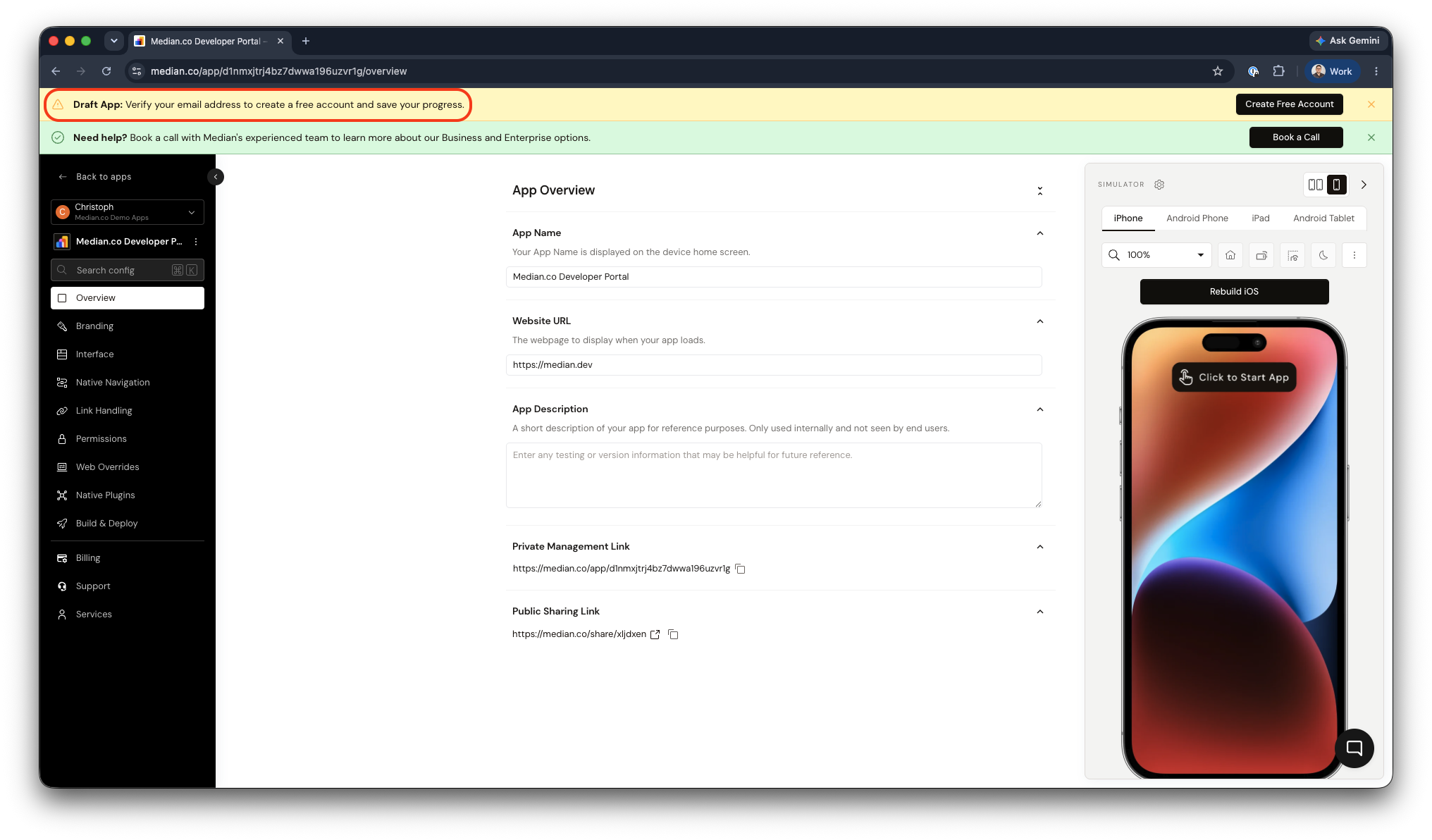
Draft App without verified email address
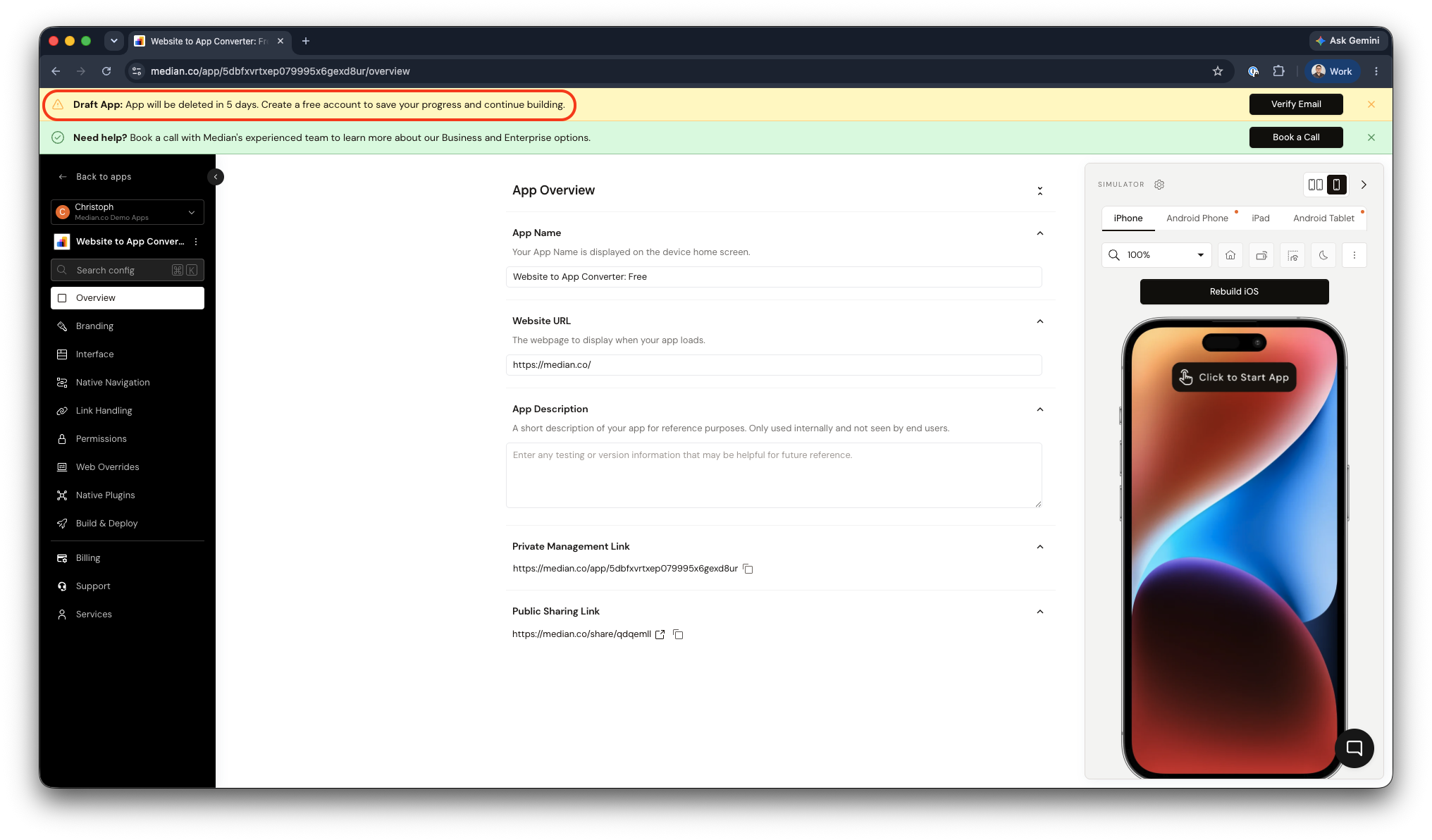
Draft App scheduled for deletion
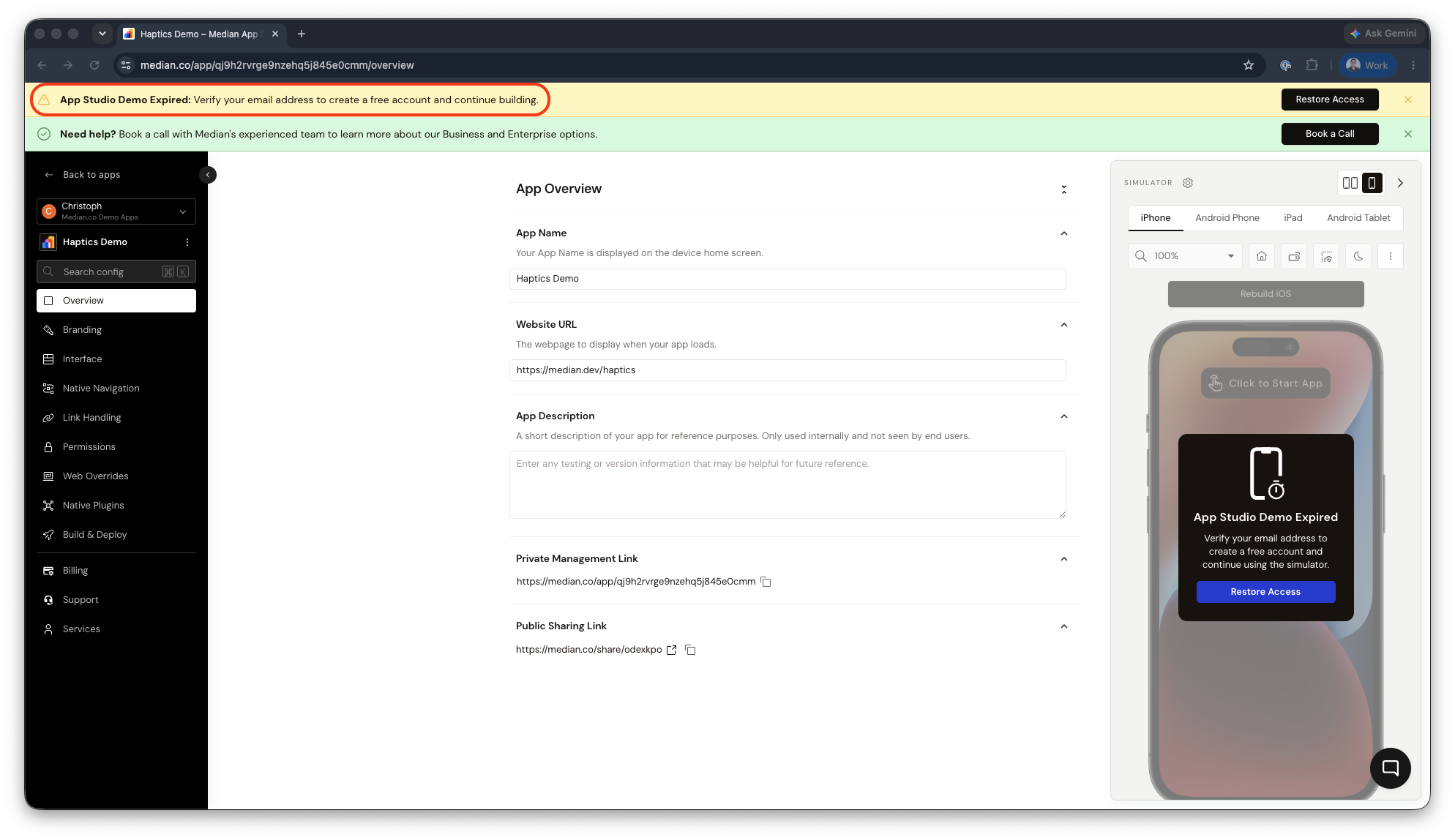
App Studio Demo Expired
To avoid losing your work, verify your email address as soon as possible after creating your app. Verifying your email creates a free App Studio account and saves your app permanently — it does not require purchasing a license. See App Studio Accounts for how to create an account, claim an app you started before signing up, and invite team members.
Applying a license to your app
If you purchase a license directly in App Studio, your app is licensed automatically.
If you purchased a license directly from Median (rather than through App Studio), apply it manually using the license key sent to you by email:
- In App Studio, open the app of your organization that you want to license.
- Click the ⋮ dropdown next to your app name.
- Select Apply Existing License.
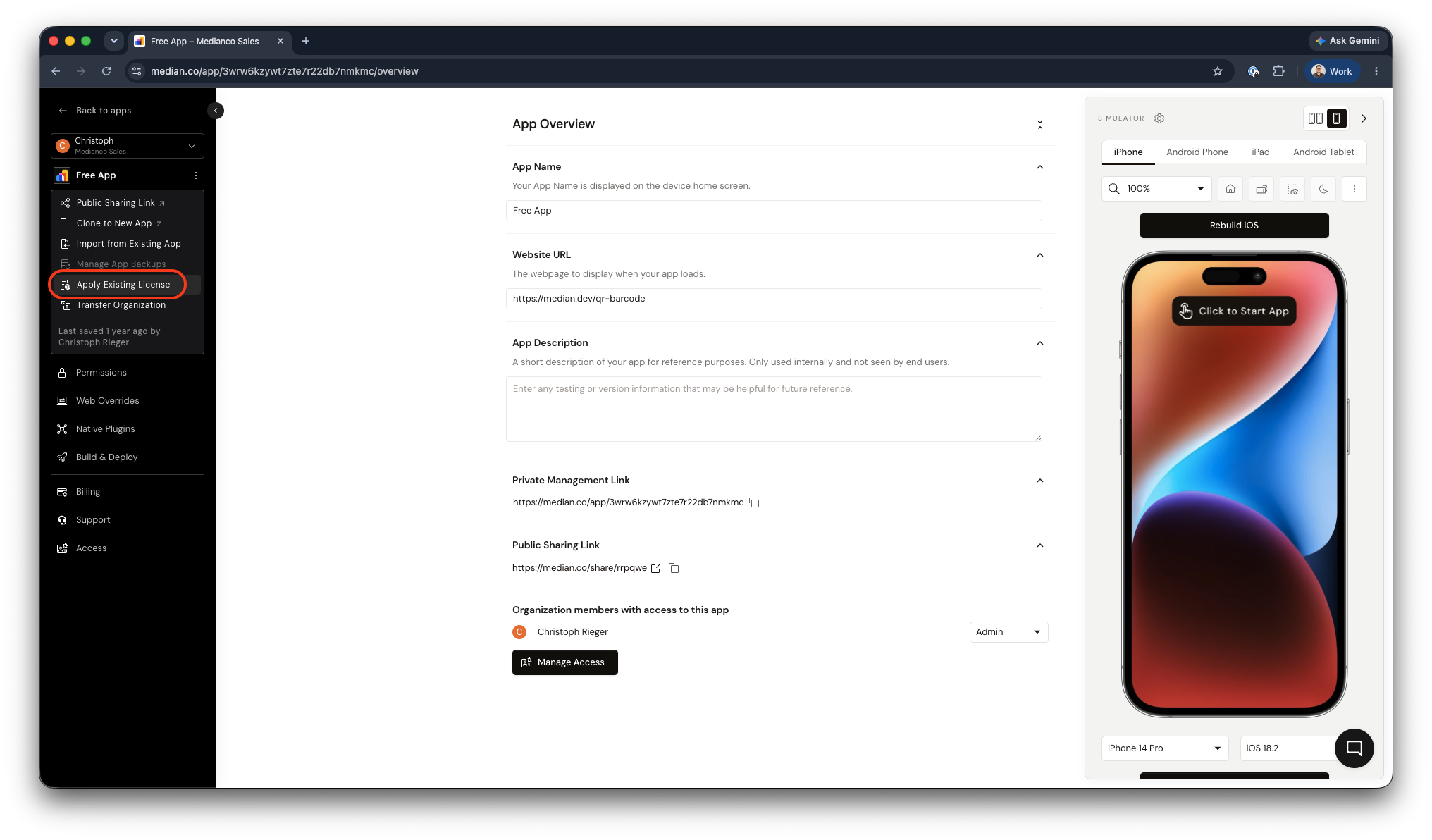
App Studio - Apply License
After applying your license, you don't need to rebuild or re-download your app. Just make sure your iOS Bundle ID and Android Package Name are set correctly first.
Support
Median receives a high volume of support requests, and our team aims to respond to all inquiries as quickly as possible. Business and Enterprise customers with an active support plan are prioritized according to their plan's SLA terms.
See Support for the full list of support options.
Frequently Asked Questions
How many apps can be published with each license?
How many apps can be published with each license?
Each license allows you to publish one app, which includes versions for both iOS and Android devices. Your license is attached to your iOS Bundle ID and Android Package Name. To ensure there are no license issues during your initial app release and future app updates verify that these identifiers within your app on our platform match your app listing within your Apple App Store Connect and Google Play accounts. More information on App Identifiers.
Why do I receive an error saying my app is not licensed??
Why do I receive an error saying my app is not licensed??
It’s important that the iOS Bundle ID and Android Package Name on your license match the identifiers you are using to publish your app. Contact Median Support if you need to update these values on your license. If you worked with a third-party developer to build your app make sure they are an approved partner and/or you have received a valid Median license. More information on App Identifiers.
Updated about 1 month ago