
Calendar
Let your users add events to the calendar on their mobile device.
The Calendar Native Plugin allows users to add events from your web app directly to their device's built-in calendar. When a user taps a calendar link in your app, the plugin intercepts it, parses the event data, and prompts the user to save the event to their iOS or Android calendar.
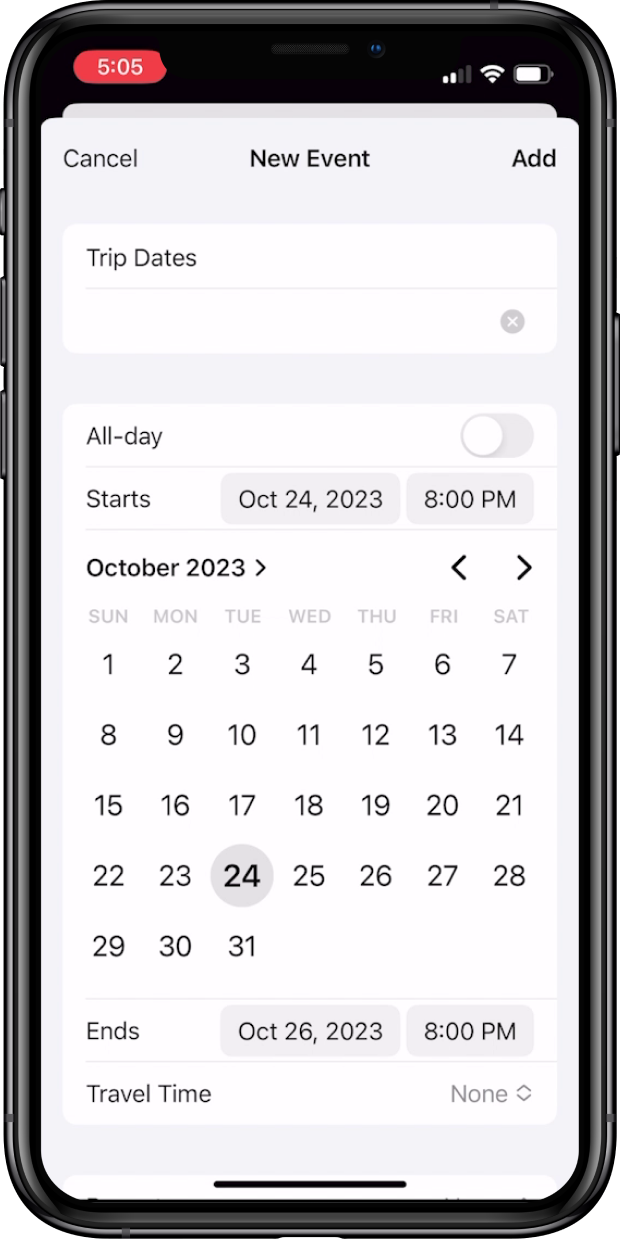
Native iOS Calendar UI Example
Why Use Calendar
This plugin removes the friction of manually copying event details. Users can add appointments, reminders, and events to their native calendar in one tap, directly from your app.
| Benefit | Description |
|---|---|
| No-code integration | The plugin works automatically by detecting .ics file links. |
| Native calendar support | Works with the built-in calendar app on both iOS and Android. |
| Two implementation paths | Support hosted .ics files or embed event data directly in a link using a data URI. |
Prerequisites
- A Median.co app with JavaScript Bridge enabled
- A web page that includes
.icsfile links ordata:text/calendarlinks for your events
Developer DemoDisplay our demo page in your app to test during development https://median.dev/calendar/
Implementation Guide
App Configuration
The Calendar plugin is plug-and-play. You only need to verify that it has been added to your app and is enabled.
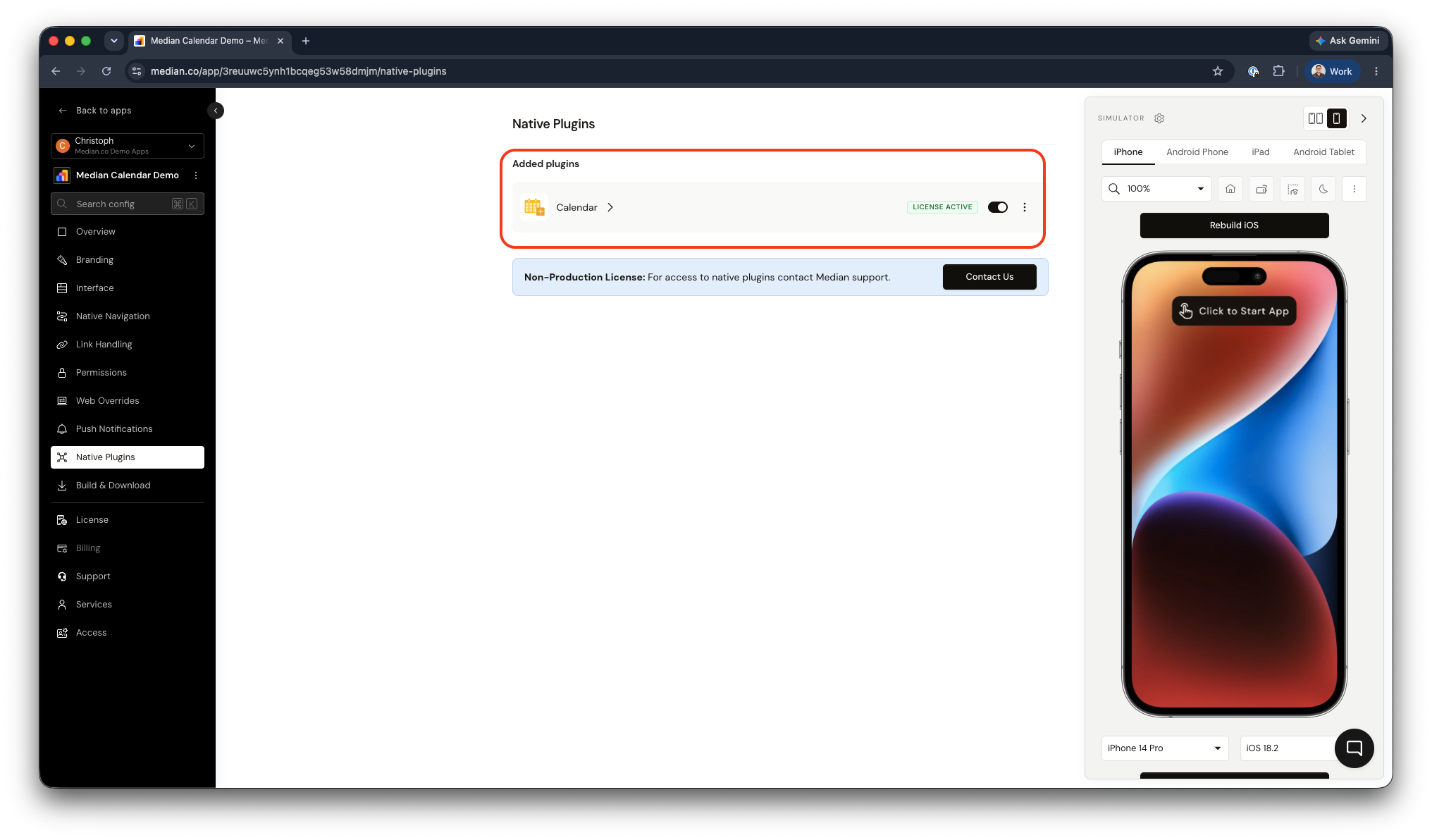
Median App Studio - Calendar Plugin
Website Implementation
When a user taps a .ics link in your app, the plugin:
- Intercepts the navigation event
- Downloads the
.icsfile - Parses the file
- Prompts the user to confirm before adding the event to their native calendar app
You can provide calendar links using either of the two approaches below.
Approach 1: Hosted .ics file
Host a .ics file on your server and link to it from your web page. The plugin detects the link automatically and handles the rest.
Approach 2: Embedded data:text/calendar links
Embed the event data directly in a data:text/calendar URI. This approach requires no server-side file hosting.
<a href="data:text/calendar;charset=utf8,BEGIN:VCALENDAR
VERSION:2.0
BEGIN:VEVENT
DTSTART:20240117T190000Z
DTEND:20240117T200000Z
SUMMARY:Doctor Appointment
DESCRIPTION:Annual checkup
LOCATION:123 Main St
END:VEVENT
END:VCALENDAR">Add to Calendar</a>
Testing Checklist
Use this checklist to ensure the Calendar Plugin is working correctly in your app:
- Tapping a hosted
.icsfile link triggers the native calendar prompt - Tapping a
data:text/calendarlink triggers the native calendar prompt - Event details (title, date, time, location, description) are correctly parsed and displayed in the prompt
- The event is added to the calendar after the user approves the prompt
Frequently Asked Questions
Tapping a .ics link does not trigger the calendar prompt
Tapping a .ics link does not trigger the calendar prompt
The Calendar plugin may not be enabled for your app, or the link format is not recognized as a valid .ics link. Confirm the Calendar plugin is enabled in your App Configuration. Verify that your link points to a valid .ics file or uses the correct data:text/calendar URI format.
Event details are missing or incorrect in the calendar prompt
Event details are missing or incorrect in the calendar prompt
The .ics file or data URI may contain malformed or incomplete calendar data. Validate your .ics content against the iCalendar format. Confirm that required fields such as DTSTART, DTEND, and SUMMARY are present and correctly formatted.
Does this plugin provide a calendar for my website?
Does this plugin provide a calendar for my website?
No. This plugin is designed to intercept .ics files and enable users to add events to their device’s native calendar. It does not replace or function as a standalone website calendar.
Updated about 1 month ago