
Authentication
Offer your users safety and security with authentication features like Face ID, Touch ID, social login, and more.
Modern users expect instant, secure access without creating yet another password. Median.co's authentication plugins offer seamless login through social accounts (Facebook, Google, Apple), biometric verification (Face ID, Touch ID), or enterprise Auth0 integration. Social login reduces signup abandonment by 20-40%, while biometric authentication combines maximum security with minimal friction.
Why use authentication plugins?
- Frictionless login: Eliminate password fatigue with social login and biometric authentication.
- Higher conversion rates: Reduce signup abandonment by 20-40% with one-tap authentication.
- Enhanced security: Native SDKs use the device's secure hardware and platform sign-in flows.
- Better user data: Collect verified user information from trusted identity providers.
Common use cases
- E-commerce & retail: Fast checkout with social login, secure payments with biometric verification
- Fintech & banking: Multi-factor authentication, biometric security for transactions, regulatory compliance
- Healthcare: HIPAA-compliant authentication, secure patient portals, biometric data access
- Enterprise apps: Single Sign-On (SSO) for employee access, Auth0 for scalable user management
Supported plugins
| Plugin | Best for | What it adds |
|---|---|---|
| Social Login | Consumer apps | Native Facebook, Google, and Apple sign-in |
| Face ID, Touch ID & Android Biometric | Returning users, secure access | Biometric unlock of saved credentials |
| Passkey Authentication (WebAuthn) | Passwordless, phishing-resistant sign-in | Passkey creation and sign-in inside the app |
| Auth0 | Enterprise apps, SSO | Auth0 Universal Login |
| Clerk | Apps built on Clerk | Clerk sign-in inside the app |
Some identity providers block embedded webviewsGoogle, for example, rejects OAuth sign-in from embedded webviews. Use the Social Login plugin, which uses the provider's native SDK, instead of the web-based OAuth flow.
Not sure where to start?
- Consumer apps: Social Login
- Secure access: Face ID, Touch ID, and Android Biometric, or Passkeys
- Enterprise apps: Auth0


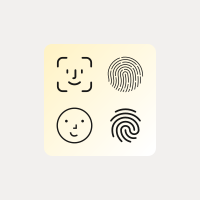
Face ID / Touch ID
Enable biometric authentication using Face ID, Touch ID, and Android Biometrics.
Learn more→
Passkey Authentication
Enable passwordless, phishing-resistant login using native Face ID, Touch ID, or Android Fingerprint biometrics.
Learn more→
Can't find your vendor?
As your needs evolve, Median can enhance your plugin implementation to include new functions or data points from third-party SDKs. We'll work with you to meet your specific requirements. Contact us for details.
How authentication works in a hybrid webview app
Three aspects explain most authentication behavior in a hybrid app:
- The session lives in the webview. Your site's cookies and local storage are stored in the app's webview, and persist between launches like they do in a browser. See Cookie Persistence.
- The webview does not share storage with the device browser. A user who is signed in on Safari or Chrome is not signed in to your app, and the reverse is also true. The same applies to pages opened in an in-app browser tab.
- Where a link opens decides where the session lands. If a sign-in step finishes in the device browser instead of your app, the browser gets the session and the app does not. Control this with Link Behavior and Deep Linking.
Two-factor and multi-factor authentication (2FA/MFA)
MFA is enforced by your server or identity provider, so it works in your app the same way it works on your website. No plugin is required. The points below help the experience feel native.
How common factors behave
| Factor | Behavior in the app | Recommendation |
|---|---|---|
| SMS or email one-time code | The user reads the code in a notification or another app, then types it in. | Add autocomplete="one-time-code" and inputmode="numeric" to the input so the keyboard can suggest the code. |
| Authenticator app (TOTP) | The user leaves your app to copy a code, then returns. | Keep the challenge page intact when the app resumes. Do not reload or restart the flow. |
| Push approval | The user approves in another app, then returns. | Poll for approval so the page advances on its own when the user comes back. |
| Passkey or security key (WebAuthn) | Handled by the operating system prompt. | Use the Passkey Authentication plugin. |
| Biometrics | Face ID, Touch ID, or Android Biometric prompt. | Use the biometric plugin to unlock saved credentials. |
Magic links
A magic link is a single-use sign-in URL sent by email or SMS. On the web, the user clicks it and is signed in. In a hybrid app there is an extra consideration: the link is tapped in a mail or messaging app, and by default (without deep linking) it opens in the device browser. The browser gets the session, and the user returns to your app still signed out.
Set up magic links
- Enable deep linking. Configure Universal Links and App Links for the domain used in your magic link URLs. See Deep Linking and test with the Deep Linking Validator.
- Use the same domain in the email. The link in the email must point directly to your deep link domain.
- Turn off click tracking for sign-in emails. Many email services rewrite links to pass through a tracking domain. A rewritten link is no longer recognized as belonging to your app and opens in the browser.
- Complete sign-in on the linked page. The page your link opens should validate the token and set the session cookie in the same webview, then redirect to the signed-in destination.
Updated 16 days ago