
RevenueCat
Leverage RevenueCat to power in-app purchases in your app
The RevenueCat Plugin simplifies the integration of in-app purchases and subscriptions by leveraging RevenueCat’s backend and SDKs for iOS and Android.
This plugin provides a streamlined approach to fetching products, processing purchases, and restoring past transactions, reducing the complexity of implementing Apple’s StoreKit and Google Play Billing.
Developer DemoDisplay our demo page in your app to test during development https://median.dev/revenue-cat
Implementation Guide
RevenueCat Setup
Step 1 - Connect your mobile Apps
Start by adding your iOS and Android apps in RevenueCat under Apps & Providers.
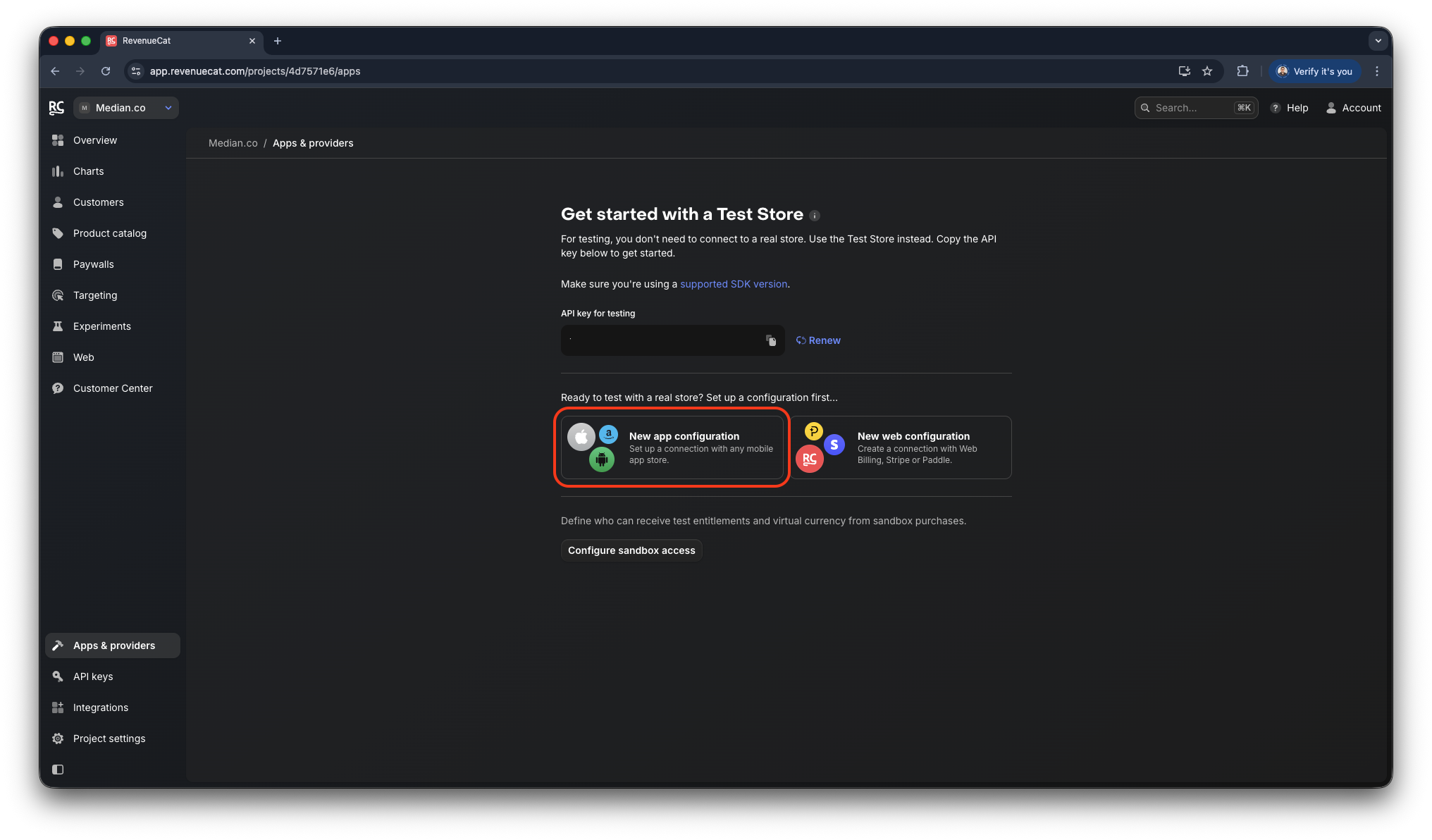
RevenueCat- Apps & Providers
Step 1.1 - iOS: New App Store App
For your App Store App configuration you will need your App Bundle ID as well as your In-app purchase key configuration. You can find both pieces of information below
- App Bundle ID: iOS Bundle ID
- In-app purchase key configuration: Generate keys for In-App Purchases
Business and Enterprise customers may request both values by creating a support ticket within the App Studio, as our team will help with the setup and management of App Store Connect and the App Identifiers.
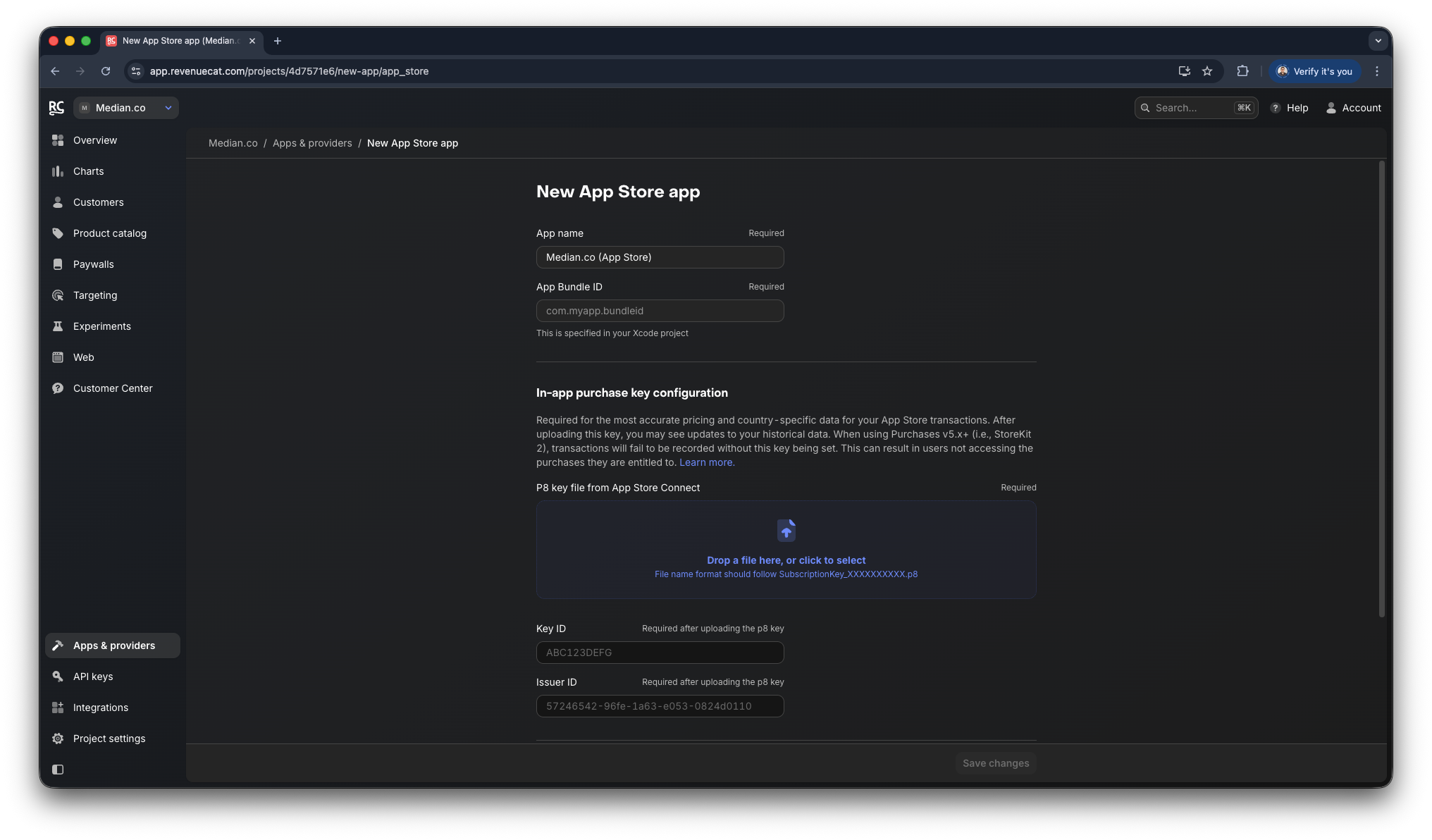
RevenueCat - New App Store app
Step 1.2 - Android: New Play Store configuration
For your Play Store configuration you will need your Google Play package name as well as your Service account credentials. You can find both pieces of information below
- Google Play package name: Android Package Name
- Service Account Credentials: Google Services
Business and Enterprise customers may request both values by creating a support ticket within the App Studio, as our team will help with the setup and management of Google Firebase and the App Identifiers.
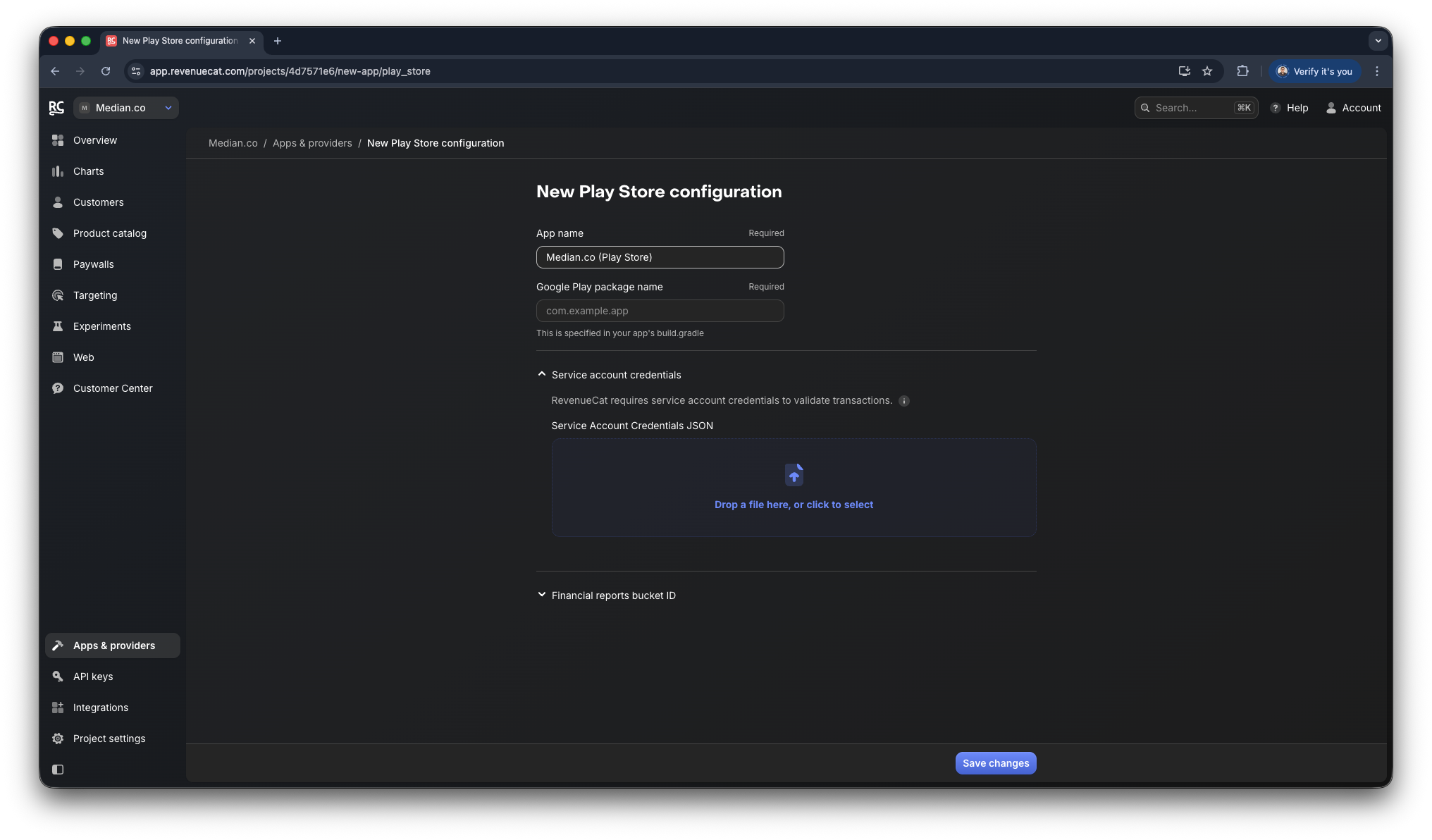
RevenueCat - New Play Store configuration
Step 2 - Retrieve Your RevenueCat API Key
You must initialize the SDK using your public API key. RevenueCat provides a test API key by default so you can validate purchases before going live.
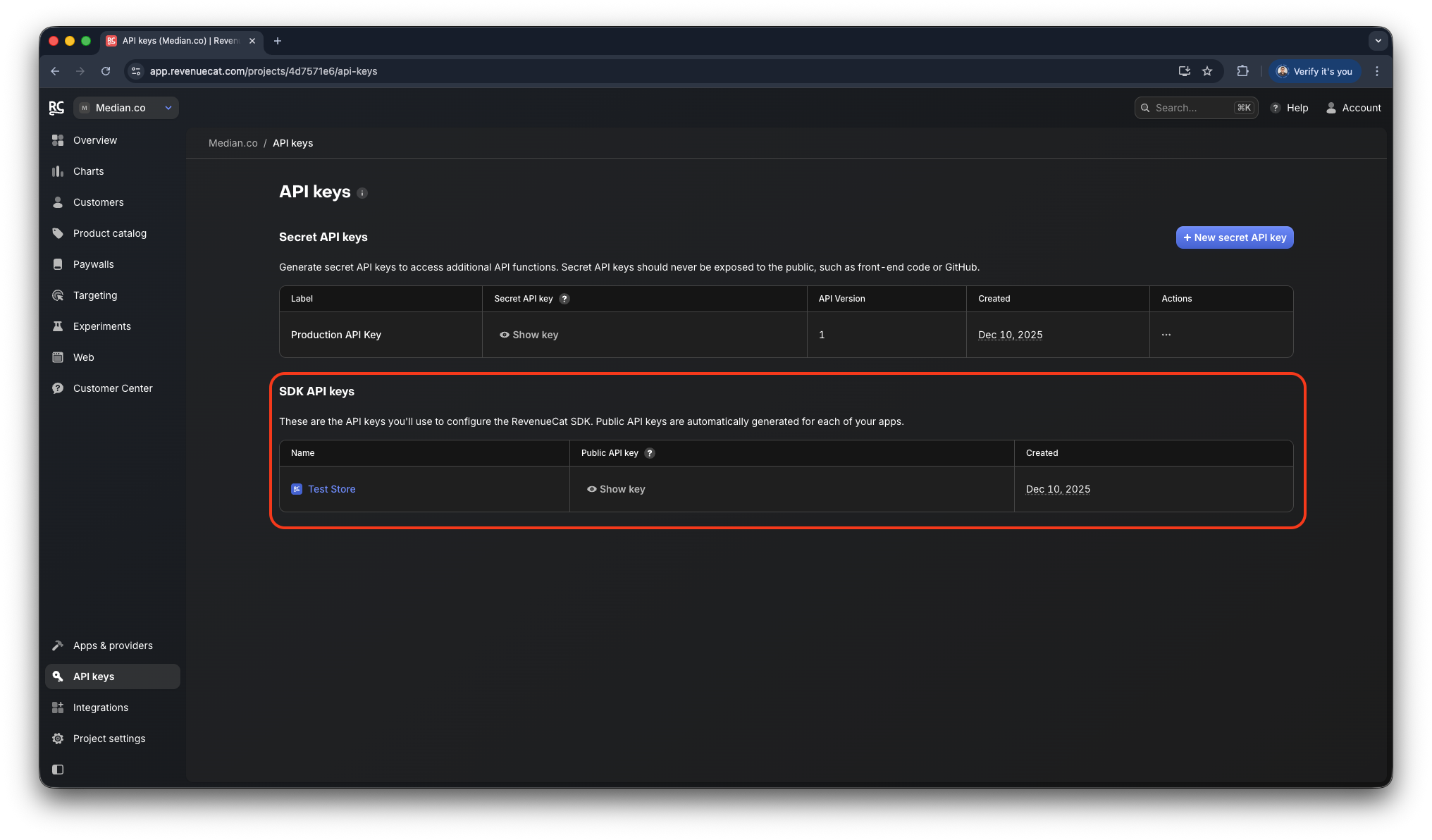
RevenueCat - SDK API keys
Step 3 - Setup your Products
Follow the steps in the official RevenueCat Product Configuration Guide to review your Test Store Products, or setup/import Real Store products.
App Configuration
Enable the Revenue Cat Plugin in the Native Plugins tab as shown below. The plugin does not require configuration fields because initialization happens at runtime using the JavaScript Bridge API.
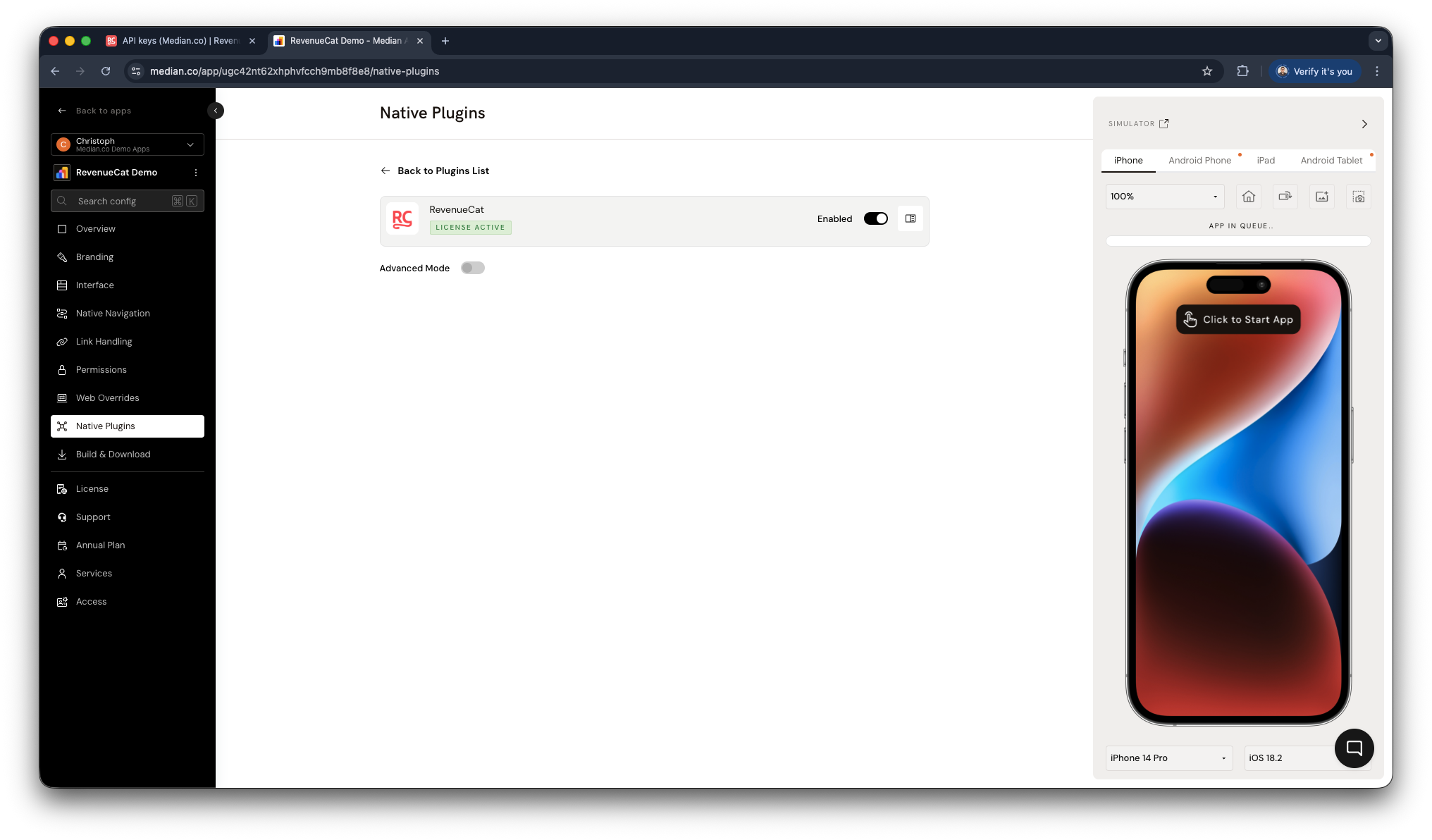
RevenueCat Plugin Enablement
JavaScript Bridge Functions
SDK Initialization
To use the RevenueCat Plugin, initialize it with your public apiKey and appUserID. References to both can be found in the RevenueCat documentation. The appUserID will allow you to reference users in the RevenueCat dashboard, via the API, as well as in the webhooks and other integrations.
Provide a callback function or return a promise.
median.revenueCat.configure({
  'apiKey': '<my_api_key>',
  'appUserID': '<my_app_user_id>'
})
// Return value:
{
  "success": true | false
}
Verify SDK Initialization
Verify the SDK is initialized before calling any other methods. Provide a callback function or return a promise.
median.revenueCat.isInitialized({'callback': function});
// Return value:
{
  'initialized': true | false,
  'apiKey': STRING // available only if initialized is true
}
Retrieve Offerings
Fetch available in-app products, subscriptions, and offerings from RevenueCat.
Provide a callback function or return a promise.
median.revenueCat.getOfferings()
// Return value:
{
  "identifiers": ["$subscription_monthly","$subscription_annual","$subscription_lifetime"]
}
Make a Purchase
Trigger an in-app purchase using a product identifier.
Provide a callback function or return a promise.
median.revenueCat.purchase({'identifier':STRING})
// Return value:
{
  "success": true | false
}
Restore Purchases
Restore a user's previously purchased products and subscriptions.
Provide a callback function or return a promise.
median.revenueCat.restorePurchases()
// Return value:
{
  "success": true | false
}
Present a Paywall
Present a paywall that has been configured through the RevenueCat platform. Please follow the RevenueCat - Creating Paywalls guide for style and configuration references.
median.revenueCat.presentPaywall();This function provides a call back and will return an error if the user cancels the paywall.
Troubleshooting
Can Median manage my RevenueCat configuration?
Can Median manage my RevenueCat configuration?
Median maintains its own RevenueCat account for development and QA purposes only. However, Median does not manage your RevenueCat configuration, product setup, or App Store / Play Store metadata.
If you run into issues, consult RevenueCat’s official troubleshooting documentation:
What are the app review implications when using paywalls?
What are the app review implications when using paywalls?
Paywalls are often one of the most closely reviewed parts of an app during App Store and Play Store review. Both platforms require apps to clearly communicate what users receive before they are asked to pay, ensuring expectations are transparent and not misleading.
When configuring your payment options and paywalls, carefully follow RevenueCat’s guidance to improve your chances of approval:
RevenueCat - Getting your paywall approved through app review
Updated about 1 month ago