
Webview Zoom
Configure the initial zoom level of your webview and dynamically control zoom settings at runtime. This feature allows you to optimize content display for different screen sizes and user preferences, ensuring your app content appears at the ideal scale.
You can set the initial zoom level in App Studio during configuration, or control it dynamically using the Median JavaScript Bridge for runtime adjustments.
Developer DemoDisplay our demo page in your app to test during development https://median.dev/webview-zoom/
Implementation Guide
The webview zoom can be controlled both through initial configuration and runtime JavaScript methods. This provides flexibility for both static zoom settings and dynamic zoom adjustments based on user interactions or content requirements.
App Configuration
To use the WebView zoom feature, set the Viewport Width to WebView Scale in the Interface settings of your app.
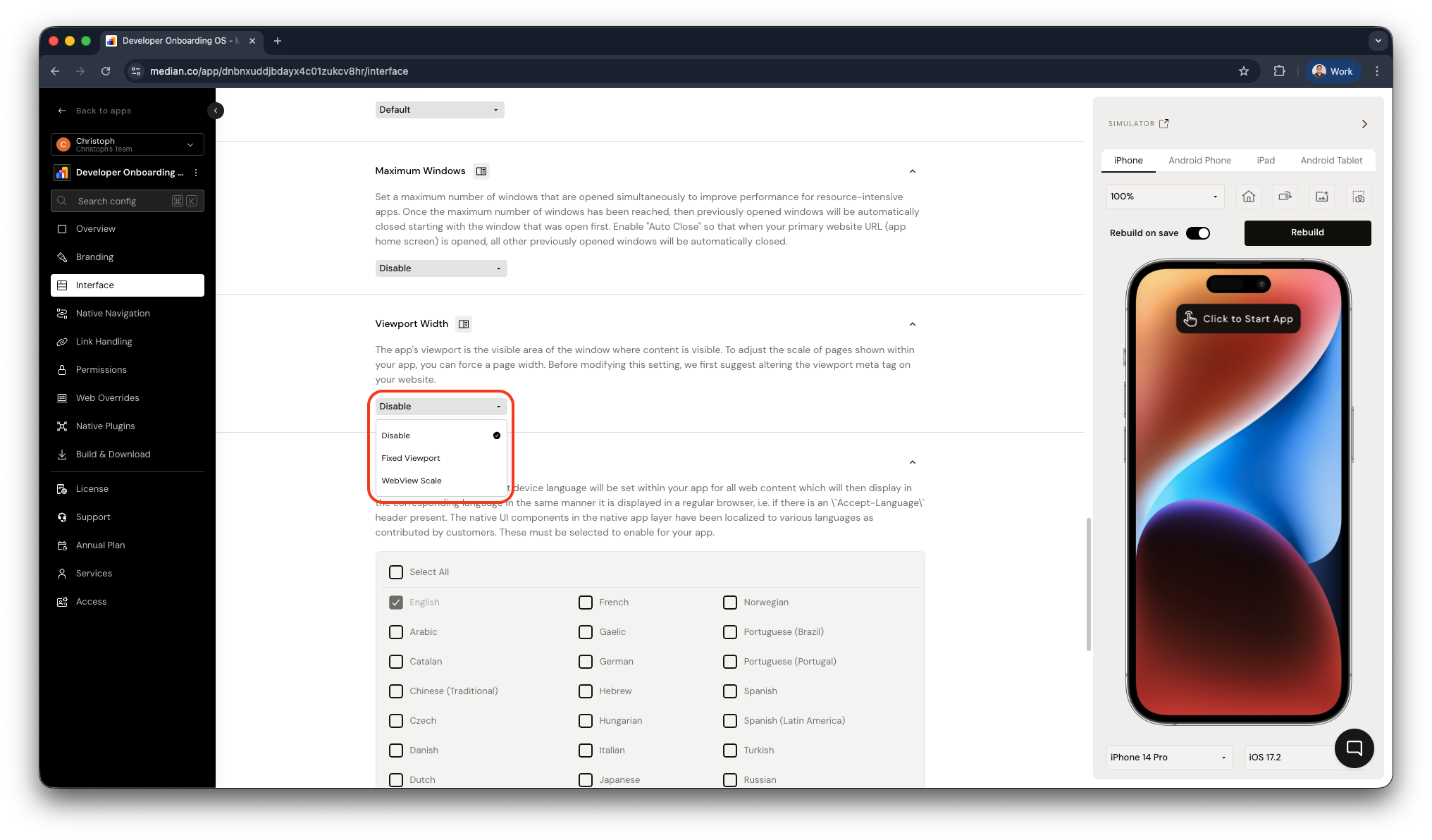
App Studio > Interface > Viewport Width
JavaScript Implementation
Get Current Zoom Level
To retrieve the current zoom level of the webview:
median.webview.getZoom();Set Zoom Level
To set a new zoom level at runtime:
median.webview.setZoom(1.1); // Sets zoom to 110%Updated about 1 month ago