
Clerk
Native authentication with Clerk sign-in, sign-out, and session management
Median.co's Clerk Native Plugin integrates the Clerk iOS SDK and Android SDK into your app to provide a native sign-in experience with session token management.
Instead of relying on a webview-based auth flow, the plugin presents Clerk's native UI for sign-in and sign-up, then surfaces the resulting JWT session token directly to your web layer via the Median JavaScript Bridge.
The plugin retrieves JWT session tokens for authenticating API requests and supports checking authentication status at any time, so your web app always has access to a fresh token without managing the Clerk SDK directly.
Developer DemoDisplay our demo page in your app to test during development: https://median.dev/clerk/
Why use Clerk
- Native sign-in UI: Clerk's native iOS and Android sign-in and sign-up screens appear as full platform UI, giving users a consistent and polished authentication experience outside the webview.
- JWT session tokens on demand: After login, use
median.clerk.getAuthStatusto retrieve a fresh JWT token at any point and attach it to API requests — no client-side session management required. - Complete user management: Clerk is a full authentication and user management platform, covering sign-in, sign-up, and session lifecycle, reducing the backend authentication work your team needs to build.
- Cross-platform with one bridge API: The same four
median.clerk.*functions work on both iOS and Android, with only initialization behavior differing by platform.
Prerequisites
- A Median.co app with JavaScript Bridge enabled
- A Clerk application created in the Clerk Dashboard with a Publishable Key (starts with
pk_test_orpk_live_) - The Clerk plugin enabled in Median App Studio with the publishable key configured under Advanced Mode
- Basic understanding of JWT authentication if you plan to use the session token for API requests
Implementation Guide
Clerk Setup
Create a Clerk application in the Clerk Dashboard and obtain your Publishable Key (starts with pk_test_ or pk_live_).
App Configuration
In the Native Plugins tab of the App Studio, enter your Publishable Key:
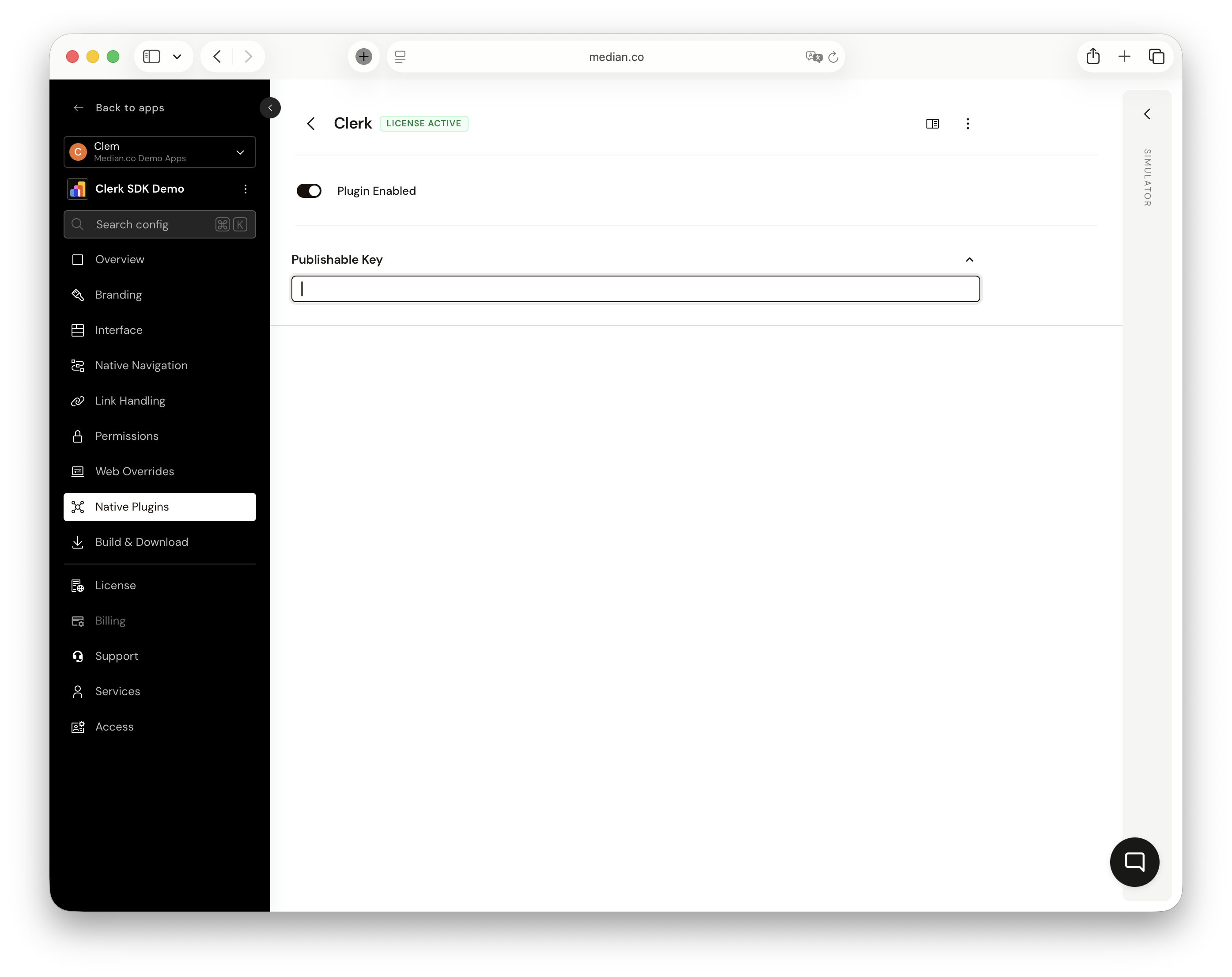
Clerk Plugin Configuration
Auto-InitializationOn iOS and Android, the Clerk SDK is automatically initialized at app startup using the
publishableKeyfrom the app configuration.
JavaScript bridge functions
Present Sign-In
Presents Clerk's native sign-in UI. The interface supports both sign-in and sign-up flows. Once the user completes or dismisses the flow, the result returns the current authentication state. For this function, provide a callback function or otherwise, a promise is returned.
To present the Clerk sign-in screen:
const result = await median.clerk.presentSignIn();

// result object
{
  state: "signedIn" | "signedOut",
  userId: "user_2abc...",           // present when signed in
  hasValidToken: true | false,
  token: "eyJ..."                   // present when hasValidToken is true
}
>
// Callback example
median.clerk.presentSignIn({
  callback: function(result) {
    if (result.state === 'signedIn') {
      console.log('User signed in:', result.userId);
      console.log('Session token:', result.token);
    }
  }
});
Sign Out
Signs the current user out and invalidates their Clerk session. For this function, a promise is returned.
To sign out:
const result = await median.clerk.signOut();

// result object
{
  success: true | false,
  error: {                // present on failure only
    code: "NOT_INITIALIZED" | "SDK_ERROR",
    message: "..."
  }
}
Get Auth Status
Retrieves the current authentication status, including the session token and user ID. Use this to check whether a user is still signed in or to obtain a fresh JWT token for API requests. For this function, a promise is returned.
To get the current auth status:
const result = await median.clerk.getAuthStatus();

// result object
{
  state: "signedIn" | "signedOut",
  userId: "user_2abc...",           // present when signed in
  hasValidToken: true | false,
  token: "eyJ..."                   // present when hasValidToken is true
}
>
// Example: use token for API request
const status = await median.clerk.getAuthStatus();
if (status.state === 'signedIn' && status.hasValidToken) {
  fetch('https://api.example.com/data', {
    headers: { Authorization: 'Bearer ' + status.token }
  });
}
Error Codes
| Code | Description |
|---|---|
NOT_INITIALIZED | Clerk SDK has not been initialized. |
SDK_ERROR | An unexpected error occurred within the Clerk SDK. |
Testing Checklist
Use this checklist to ensure Clerk is working correctly in your app:
-
median.clerk.presentSignIn()presents the native Clerk sign-in UI - After successful sign-in,
stateis"signedIn"andtokenis present -
median.clerk.signOut()returnssuccess: trueand clears the session -
median.clerk.getAuthStatus()returns correctstateand a validtokenafter sign-in - Sign-in and sign-out work end-to-end on a physical iOS device
- Sign-in and sign-out work end-to-end on a physical Android device
- Publishable key matches the correct environment (
pk_test_for development,pk_live_for production) -
tokenfrompresentSignInorgetAuthStatusis a valid JWT accepted by your API
Troubleshooting
median.clerk functions are undefined or not working
median.clerk functions are undefined or not working
Ensure the JavaScript Bridge is enabled in Median App Studio and that the Clerk native plugin is enabled and configured. On iOS, verify that median.clerk.initialize() is called before any other method and that the call returns success: true.
NOT_INITIALIZED error on iOS
NOT_INITIALIZED error on iOS
On iOS, the Clerk SDK is not initialized automatically at startup — you must call median.clerk.initialize({ publishableKey: 'pk_...' }) from JavaScript before calling presentSignIn, signOut, or getAuthStatus. On Android, this call is optional because the SDK initializes from the server configuration.
Sign-in completes but token is missing or hasValidToken is false
Sign-in completes but token is missing or hasValidToken is false
Check that your Clerk application is configured correctly in the Clerk Dashboard and that the publishable key matches your app environment. Also verify that the user fully completed the sign-in flow rather than dismissing it — a dismissed flow returns state: "signedOut" with no token.
SDK_ERROR on sign-in or sign-out
SDK_ERROR on sign-in or sign-out
Check the error.message field for details. Common causes include network connectivity issues, an invalid or revoked publishable key, or a temporary Clerk service issue. Verify the publishable key in App Studio matches your Clerk Dashboard and that the device has network access.
Session token is rejected by your API
Session token is rejected by your API
Always call median.clerk.getAuthStatus() immediately before making an API request to get a fresh token — do not cache the token from a previous call. Ensure your backend is validating the JWT against your Clerk instance's public key, not a hardcoded secret.
Updated about 1 month ago