
Custom Notification Sounds
Personalize your push notifications with custom sounds.
Overview
You can personalize your push notifications by specifying custom notification sounds. To do so, upload your audio files in the Notification Sounds section within the OneSignal Plugin Configuration in the App Studio. After uploading, your audio files will be converted to custom_sound_1, custom_sound_2, etc., instead of using the original filenames. The Median App Studio will automatically converts these files to .caf for iOS and .mp3 for Android when building your apps.
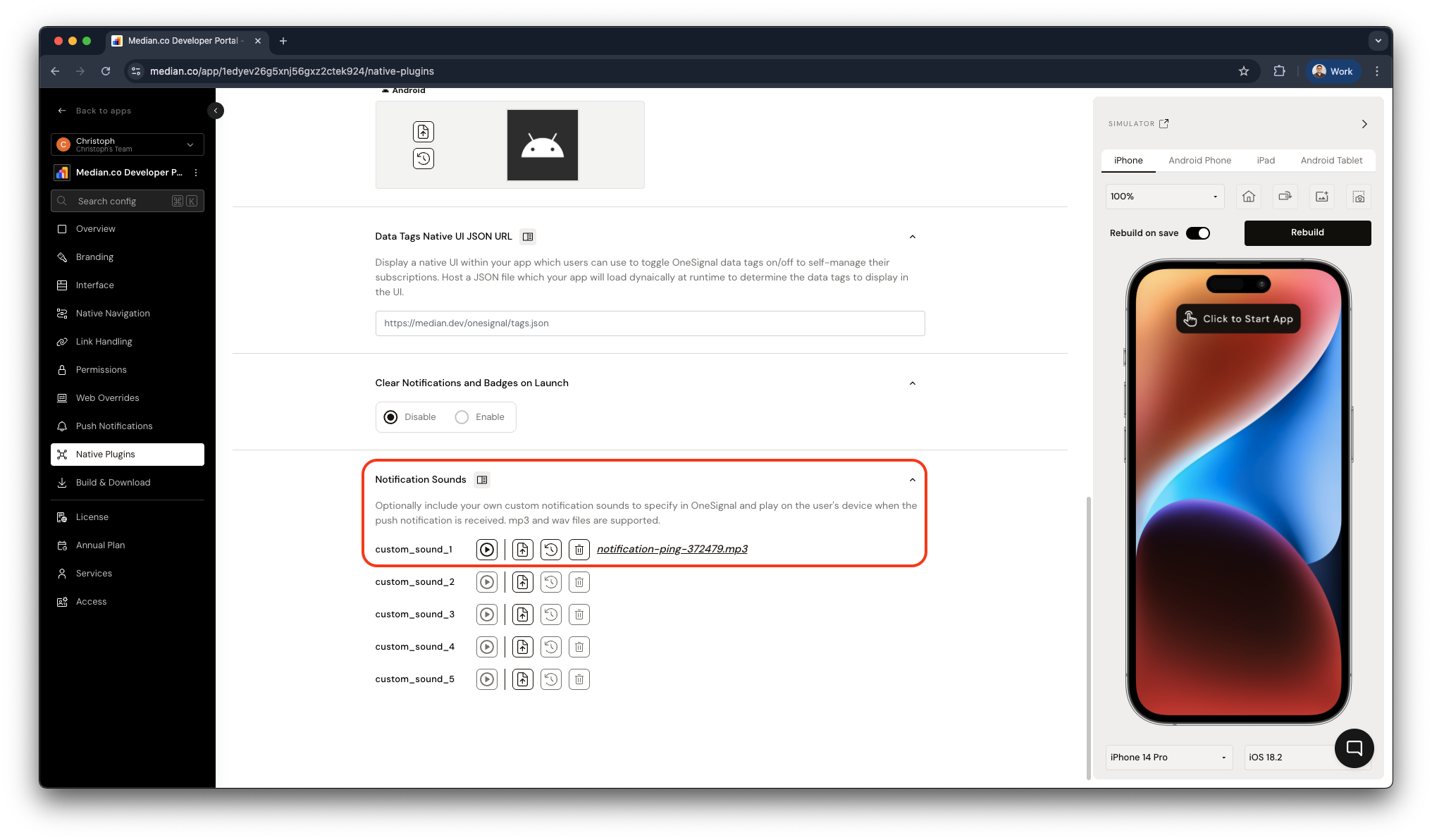
App Studio - Upload custom Notification Sounds
OneSignal Android Configuration
For Android, you must configure Notification Categories to customize notification sounds.
📖 Learn more in the OneSignal Notification Sounds and Android notification categories.
Sending Notifications using Custom Sounds
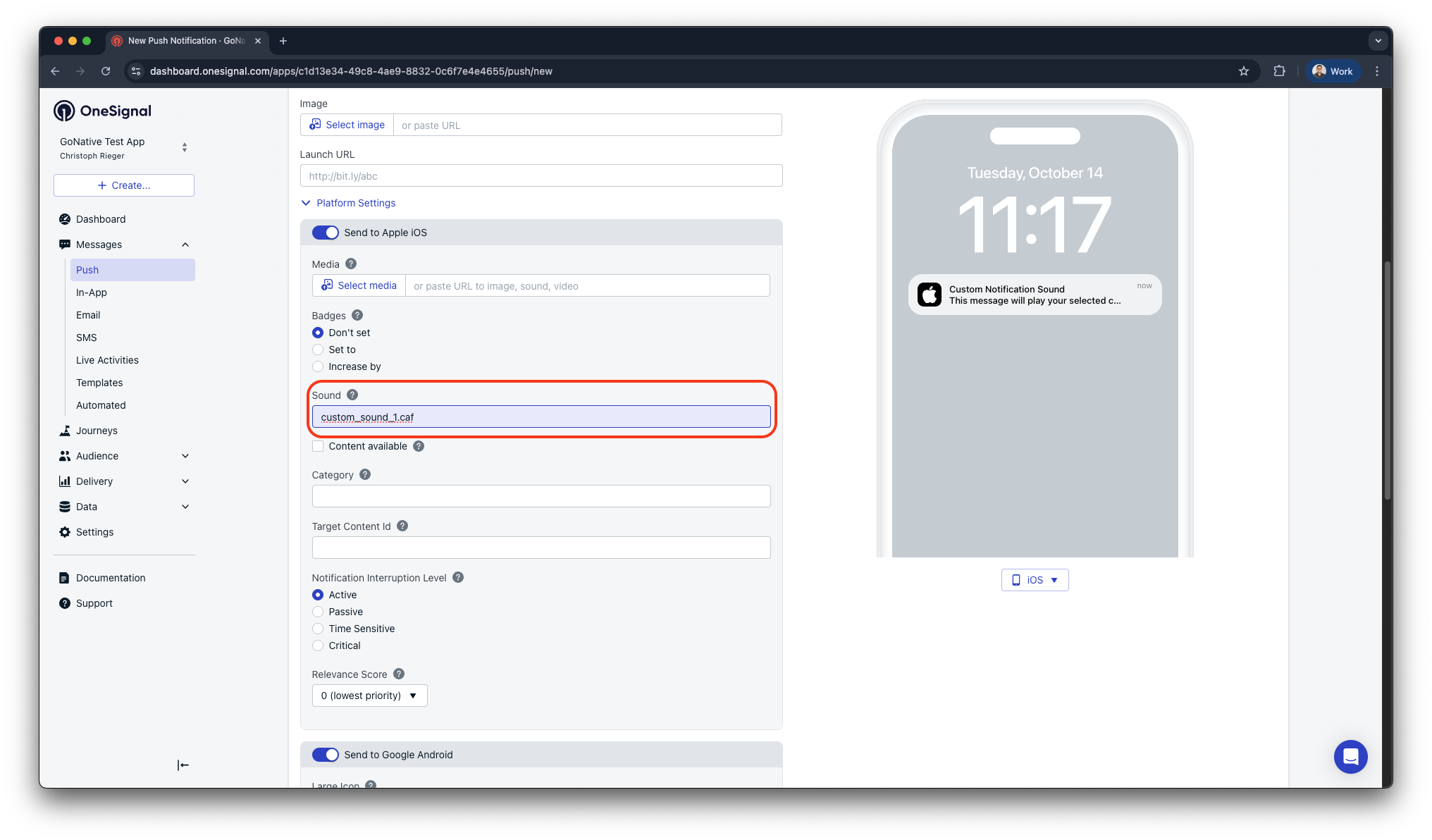
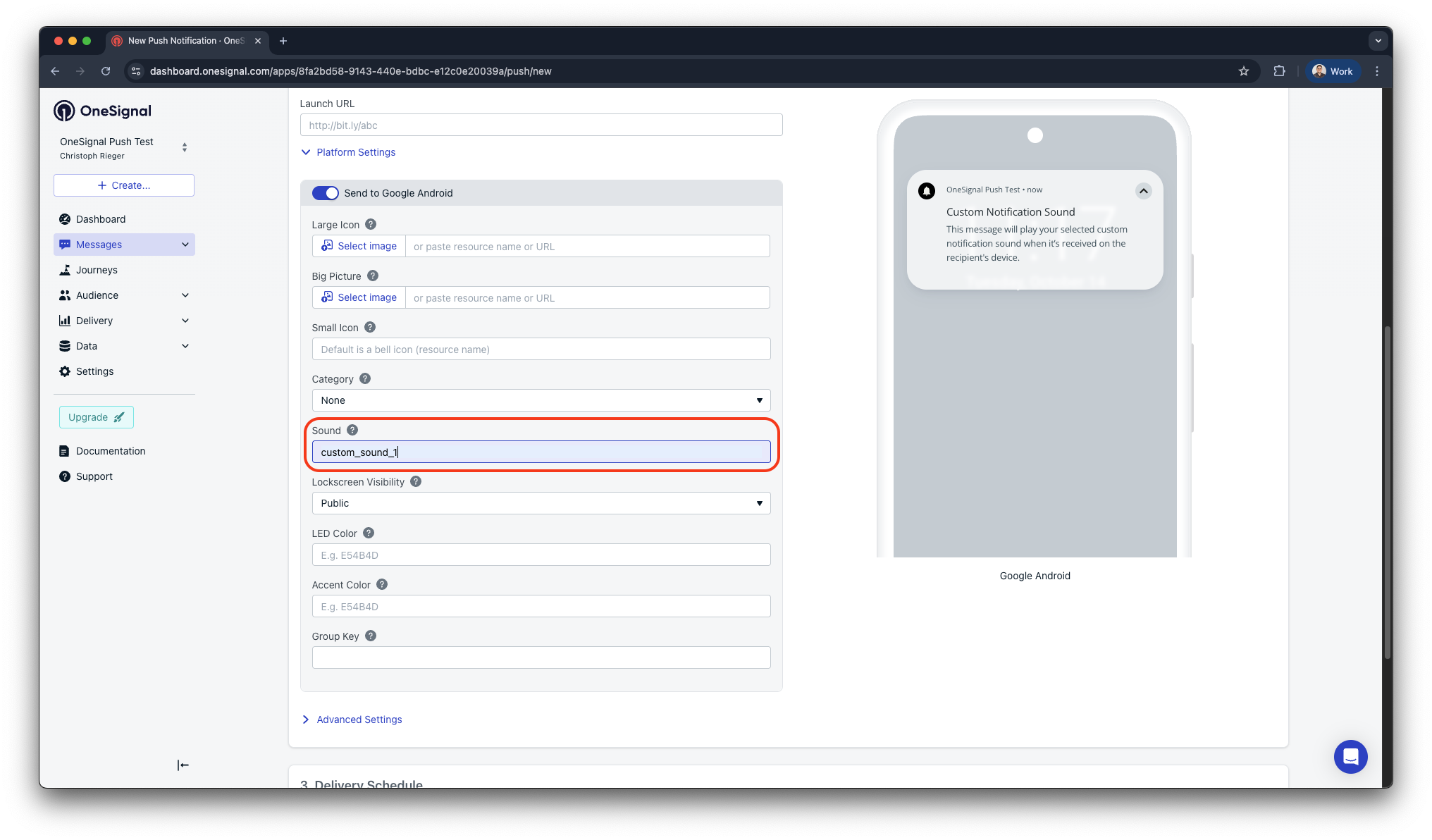
Custom notifications sounds are supported in the OneSignal Dashboard and OneSignal REST API. Please see the examples below to leverage custom sounds. For iOS, the file extension must be included when specifying the custom sound in OneSignal. For Android, the extension is not required.
Examples:
- iOS:
custom_sound_1.caf - Android:
custom_sound_1
OneSignal Dashboard
Please refer to the examples below on how to include custom notification sounds when drafting messages in the OneSignal Dashboard.
OneSignal REST API
The OneSignal REST API supports custom sounds via the ios_sound and android_channel_id keys.
📖 Learn more about the OneSignal API: Programmatic Notifications, OneSignal REST API Overview
Updated 2 months ago