
Liquid Glass (iOS)
Native frosted-glass UI effects for modern iOS apps
Liquid Glass Support
Liquid Glass on iOS is a visual design effect introduced in iOS 26. It creates a frosted-glass appearance using dynamic blur and vibrancy, improving visual hierarchy and depth across the app interface.
Median apps automatically support Liquid Glass on compatible iOS devices. The effect is applied natively by iOS and integrates with web content that uses CSS properties such as backdrop-filter. It may also be applied to native UI components within the app.
App Configuration
To enable Liquid Glass support, turn on Modern Liquid Design in App Studio - Interface.
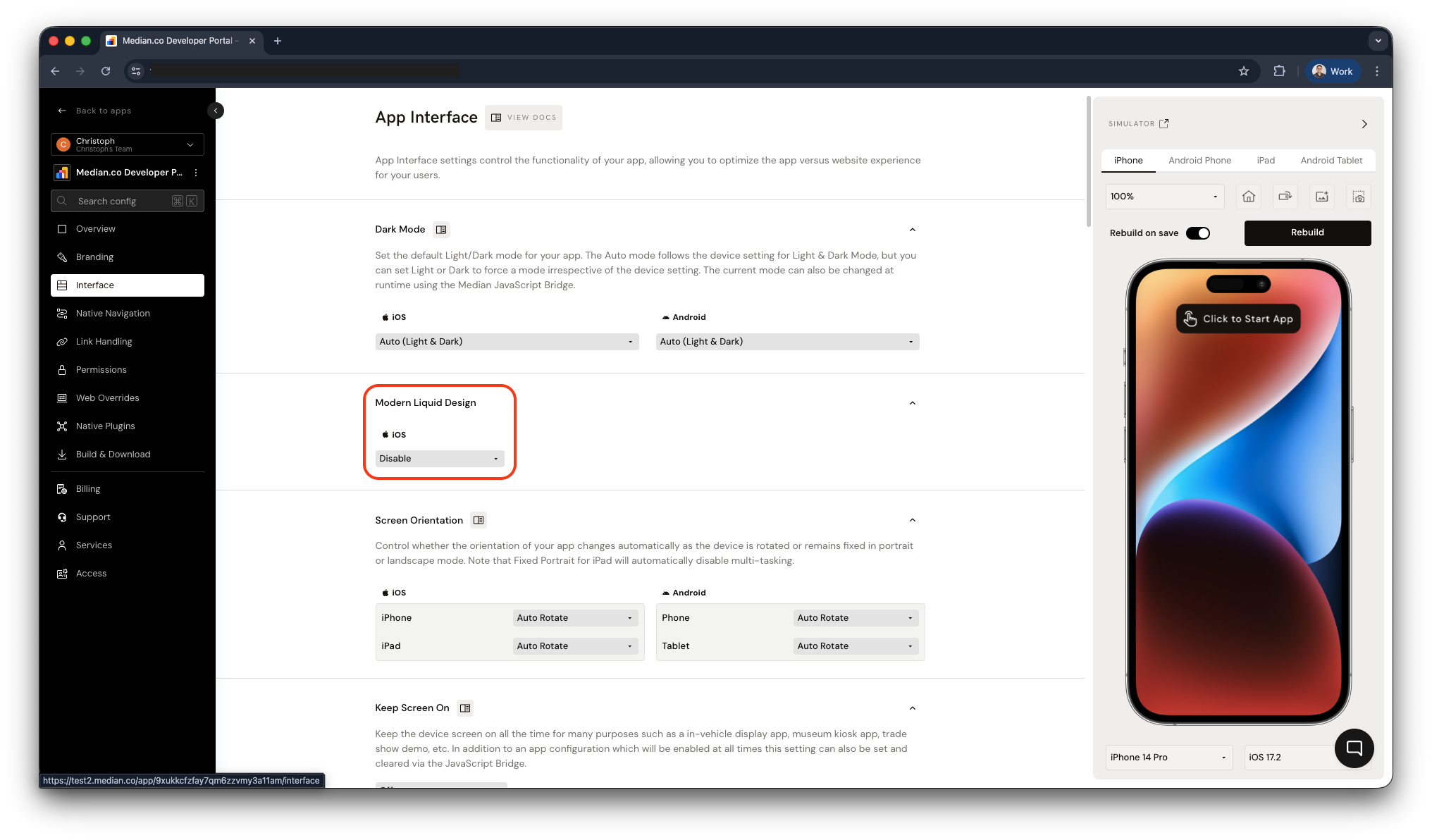
App Studio - Interface - Liquid Glass Design
Additional Resources
Developers implementing or designing with Liquid Glass may find the following resources helpful:
Apple Liquid Glass Overview Learn about the design goals, system behavior, and platform integration of Liquid Glass across Apple operating systems. Liquid Glass
Apple Human Interface Design Principles Describes the design philosophy behind layered, translucent UI elements and spatial hierarchy. Human Interface Guidelines
CSS backdrop-filter Reference Documentation for the CSS property most commonly used to enable glass-style visual effects in web content. MDN | backdrop-filter
*Native frosted-glass UI effects for modern iOS apps
Liquid Glass Performance and Accessibility Best Practices
Guidance on optimizing blur effects, maintaining readability, and providing fallbacks for unsupported devices.
Liquid Glass Best Practices
Updated about 5 hours ago