
Google Developer Verification
This documentation is a guide on uploading the adi-registration.properties value required for App Device Integrity (ADI) verification and including it in future app builds.
Understanding App Device Integrity (ADI)
App Device Integrity is a security framework powered by the Google Play Integrity API. Its primary purpose is to ensure that your app is running in a secure, untampered environment.
- What it does: It verifies whether the app interaction originates from a legitimate app binary (anti-tampering) running on an authentic Android device. This prevents malicious actors from using modified versions of your app or running it on compromised/emulated devices.
- The .properties file: The
adi-registration.propertiesfile acts as a configuration handshake between your app and the Google Play Integrity services. It contains a value that allow the API to recognize your specific application during the attestation process.
Uploading the ADI property value
In Google Play Console
Follow the steps in this Google Support Article to register your Android package name.
- The ADI property value is available on step 3, on the Sign and upload an APK page.
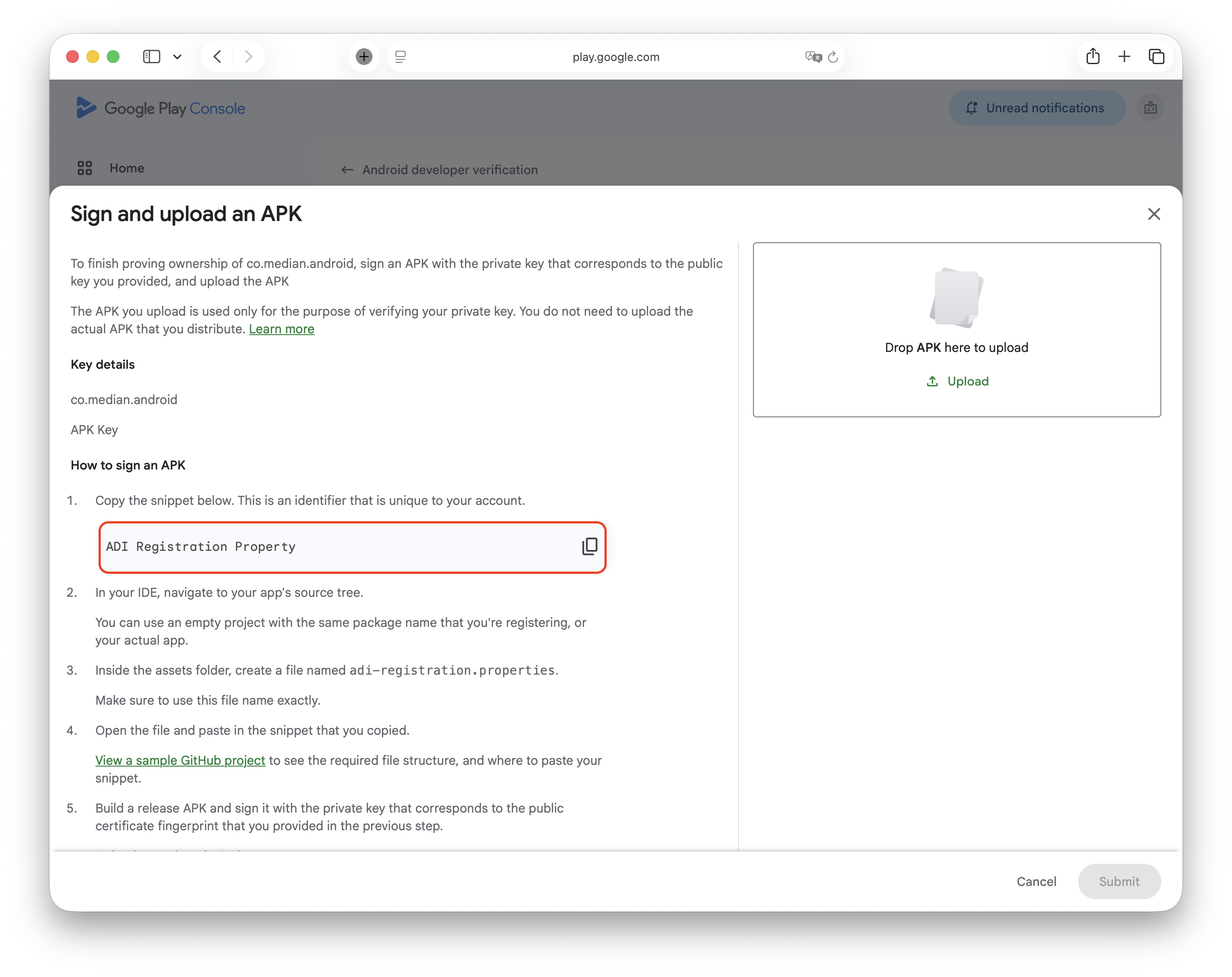
Google Play Console- Sign and upload an APK
In the Median App Studio
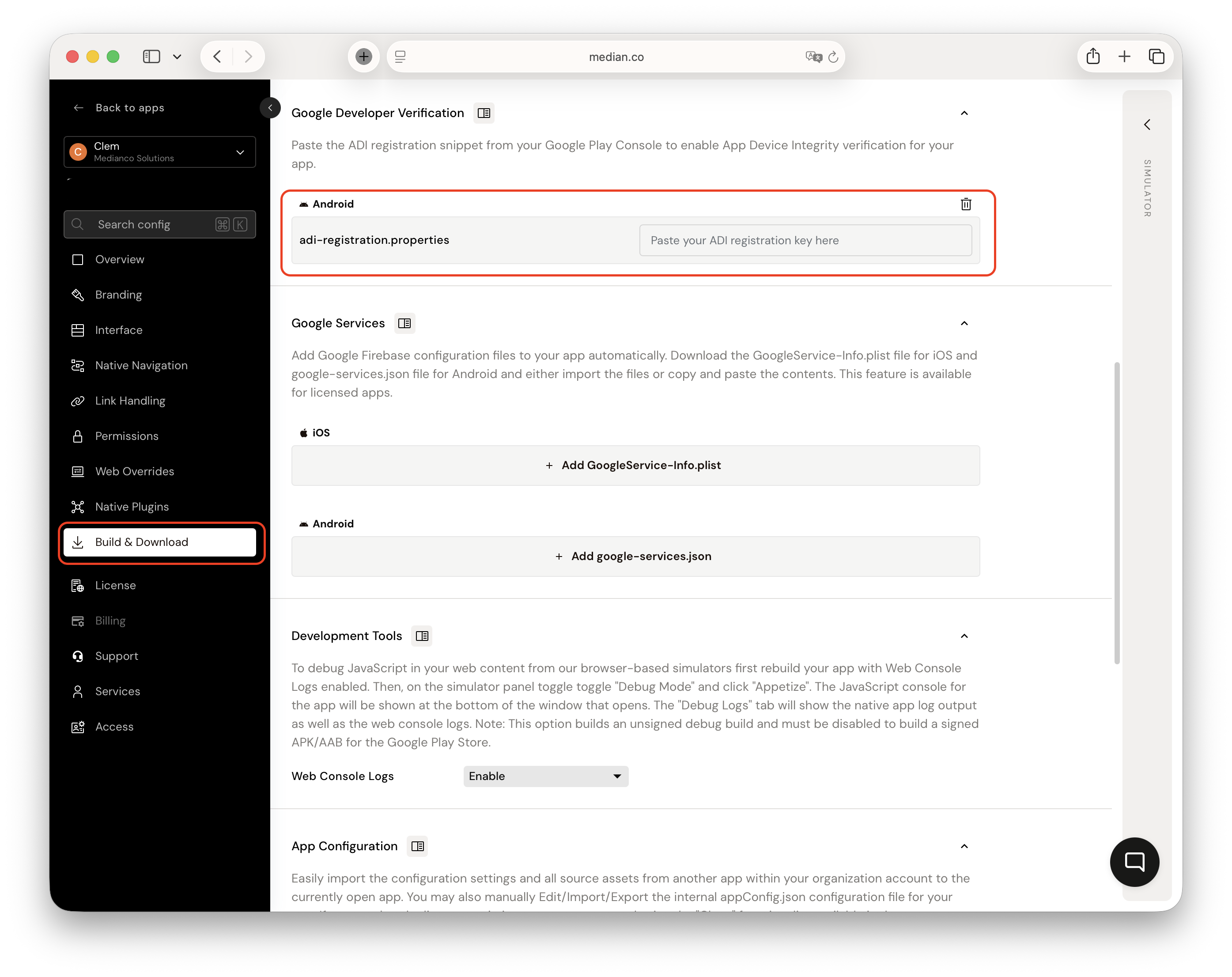
- Navigate to the Build and Download section > Google Developer Verification
- Paste the ADI property value
Additional Resources
For more in-depth technical details, refer to the official Google Developer documentation: